Scanner Pro 4.5 adds real-time border detection (5 Promos Giveaway)
21 May, 2013
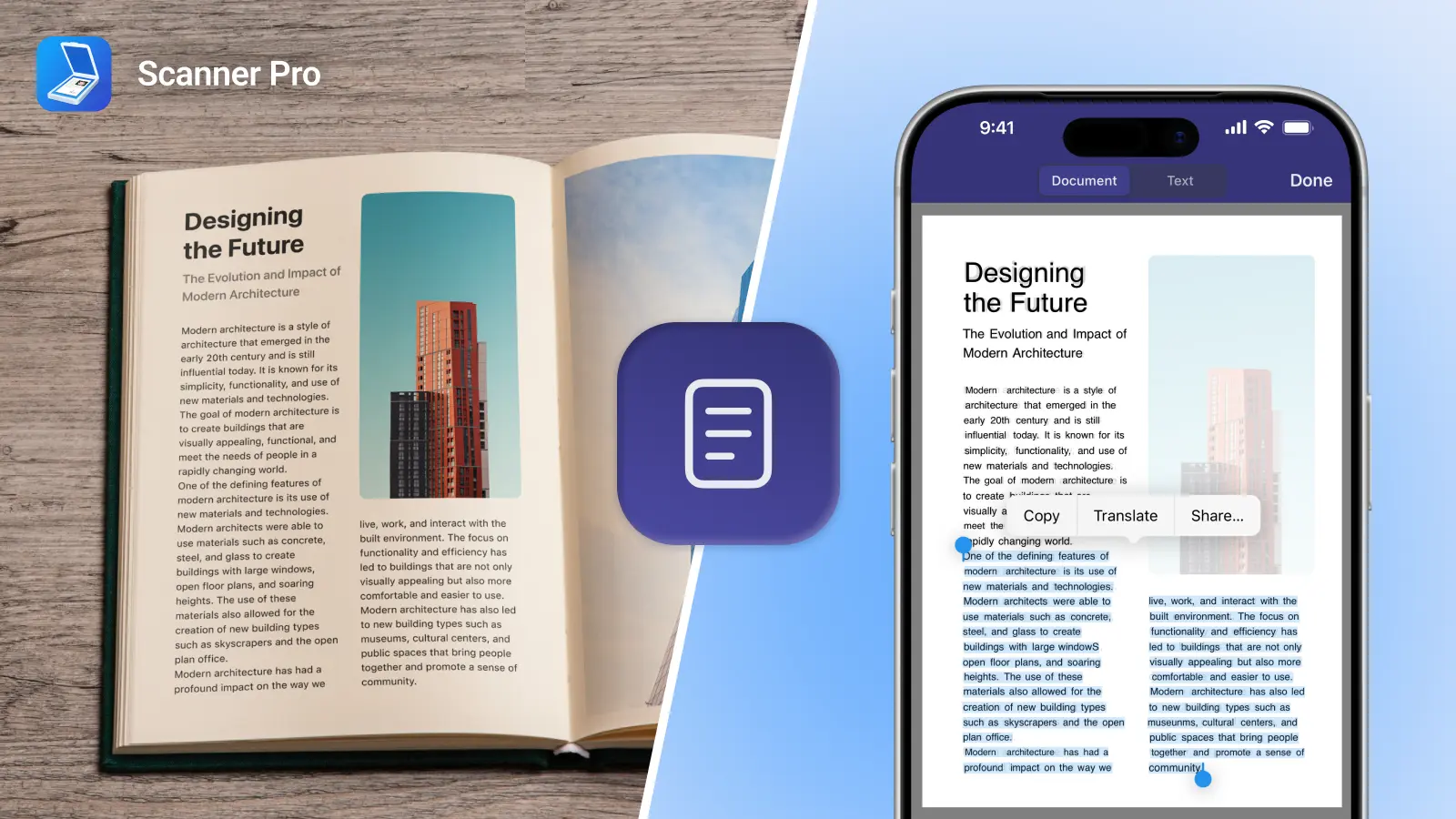
Our flagship app, Scanner Pro, gets an amazing update, that uses new technology for real-time border detection.
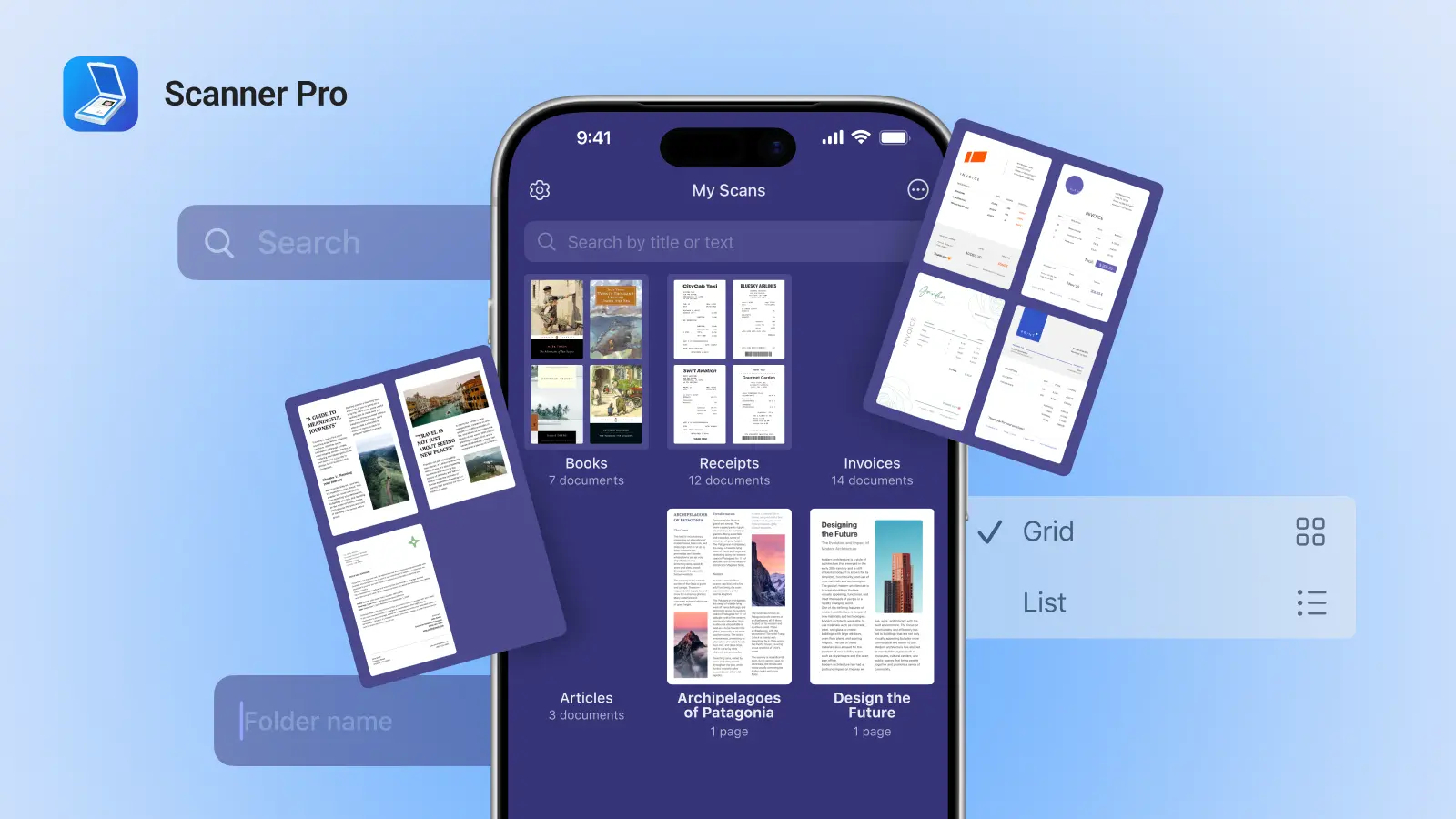
Scanner Pro is a universal app that turns an iPhone or iPad into a portable scanner. Now you can scan receipts, pages, documents, business cards and share them. It has created the whole mobile document scanning niche in 2009. Almost 800,000 users worldwide scan hundreds of documents on the go. Scanner Pro was featured by Apple and Evernote many times, moreover, it’s been #1 business app in 20 countries for 2 years.
The latest update adds tremendous power to the app, an it is an inevitable step in its evolution. Real-time border detection technology works perfectly and makes it very easy for the user to see which part of the document will be scanned.
You can see a short video of Scanner Pro real-time border detection in action
How Scanner Pro is different from the picture you can take with the iPhone/ iPad camera?
- it automatically crops the document and makes the scan more readable
- it removes shadows and corrects perspective
- it can save scans as b/w document
- it scans multipage documents and saves them as a single PDF file
- it allows you to share your scans: automatically unload to Dropbox, Evernote, etc.
So the main difference is that you get a good looking PDF file, instead of a blurry image with background.
Giveaway.
We’re giving away 5 promo codes for Scanner Pro 4.5 ($6.99).
If you want to win simply follow these steps:
1) Share this article on Facebook or Twitter.
2) Follow @Readdle on Twitter (so we can drop you a direct message with the promo code)
3) Alternatively, you can comment below saying why do you want Scanner Pro and how would you use it.
We’ll randomly choose 5 lucky winners tomorrow and give away the codes.
P.S. You can download Scanner Pro from the AppStore
Scanner Mini turns your iPhone or iPad into a scanner for FREE
18 December, 2012
Today, we’re launching a new FREE app called Scanner Mini.
There is no doubt that all people do want to scan occasionally. Whether it is a receipt, a page from a book or an important contract, having a scanner in a pocket is very handy. You never know when you need to scan something, right?
Scanner Mini gives everything to make great scans with iPhone or iPad in seconds. Moreover, Scanner Mini will sync scans across all iOS devices and backup them to iCloud automatically, so the files will never be lost.
How does it work? I am pretty sure that everyone is pretty familiar with the scanning concept on the iPhone or iPad. The app takes an image of the document with the device camera, finds the borders of the page, crops the image, makes it more readable and good looking. Moreover, it converts the scan into a PDFs that can be copied to any PC or Mac via a USB cable. There are no ads inside the app or watermarks on the scans.
We want Scanner Mini be installed on every single iOS device eventually. It’s great, it’s useful and it’s FREE. So start downloading it from the AppStore right now.
For people who need to do more with their scans on the iPhone or iPad, Readdle offers an upgrade to Scanner Pro. It allows people to share their scans via email, upload to Dropbox, Evernote and Google Drive, print via AirPrint and even fax. In addition, there is an integration with PDF Expert app, that allows to annotate and sign the docs that just have been scanned.
The new Scanner Pro: robust and beautiful (new features and 5 promo codes giveaway)
30 October, 2012
The new version of Scanner Pro is now available on the AppStore.
As you may know, Readdle team is continuously working on polishing the apps we already have. There was no exception this time either. It’s increasingly hard to make good products even better, but our dedication pushes the borders higher and higher.
So what’s new in Scanner Pro 4.3 and why is it so cool?
- Batch mode is now available for iPad version (scan multiple pages)
- Brand new menu interface
- Auto-upload now works with all WebDav services (once scanned, a file automatically uploads to any online storage or cloud)
- Set folders for auto-upload
- Updated Google Drive and iCloud for better reliability
- Bug fixes and stability improvements
Let’s have a look at some of the new key features.
Batch mode for iPad.
It allows you to scan multiple pages into one document. Pretty simple, but very useful. Imagine, if you want to scan an agreement, a passport or even a small book (we have a few users who scan 100+ pages!).
This is how it works:
Start scanning as always by pressing “Take picture” button. In the preview mode, you will see a small button at the bottom. Tap on it to active batch mode (the graphics will show two pages now).
Once you took the first picture, press “Add page” button with a “+” in order to scan second page of a document.
Once you are done with scanning, press “Done” and adjust the borders for each page.
Once you are done, you can swipe left-right to see the pages of your multipage PDF.
Isn’t it easy?
Brand new interface.
We take design very seriously. This is why the new menu looks so fresh and cool right now.
Sharing options.
Auto-upload now works with any WebDav server. Every single scan will be automatically uploaded directly to the folder you specify.
There are a few other improvements. We’d like you to play around with Scanner Pro and discover them yourselves.
We’d like to hear your feedback and thoughts. So please, comment below and ask questions.
Giveaway.
Would you want to have a scanner in your pocket?
We are giving away 5 promo codes to our readers.
Simply comment below why would you want to use the app. We’ll randomly pick 5 lucky winners tomorrow.
We’ll appreciate a tweet also
Good luck!
Scanner Pro 4.2 with auto-upload to Dropbox and Evernote hits the @AppStore (5 promo codes giveaway)
30 July, 2012
Scanner Pro is updated again. Version 4.2 features automatic upload to Dropbox and Evernote and enhanced batch mode.
This means that once you scanned something, it’ll be automatically uploaded to your Dropbox or Evernote account via Wi-Fi network.
Here is a video review of Scanner Pro:
We are happy to give away 5 promo codes for Scanner Pro.
To win the code simply follow these steps:
1) Follow us on Twitter or like our Facebook Page
2) Retweet this post or Share on FB
3) 5 winners will be selected randomly within 24 hours
Good luck!
P.S. By the way, the app is now officially called “Scanner Pro by Readdle”.
App Store issue with Scanner Pro 4.1 (the story goes on as Apple removes all comments)
5 July, 2012
Yesterday the Scanner Pro 4.1 hit the App Store. Immediately, our team received tens of emails about the update crashing on start. Simultaneously, reports showed that the same issue also affects other popular applications, including Instapaper by Marco Arment.
The problem was in the App Store distribution system. iTunes servers were sending corrupted application packages to many users, mostly in the US and UK. Sometimes immediate reinstall worked. For others, it took several hours to receive a valid archive.
We have contacted Apple about this issue, but haven’t heard back yet. Meanwhile, the issue is almost fixed and we only receive occasional emails about it.
Update: After all the hype yesterday in major tech press: TechCrunch, VentureBeat, GigaOm, Gurdian, etc. Apple has released an official statement:
“We had a temporary issue that began yesterday with a server that generated DRM code for some apps being downloaded,” Apple said in a statement to AllThingsD. Apple said it affected only a small number of users.
“The issue has been rectified and we don’t expect it to occur again”.
In order to bring justice, Apple has decided to remove some comments of corrupted apps on the App Store, since many of those get 1-star ratings from angry users. However, this is a very questionable move.
Scanner Pro has already had 30+ great reviews from users, who were happy about the update (obviously, they have installed the uncorrupted binary). This will affect the whole ecosystem negatively, as the new users won’t be able to get information about the apps, generated by existent users. It seems that some comments from yesterday are still there, but they cannot be seen since the update is already in the AppStore.
Undoubtedly, Apple is trying to solve the issue the best way possible. For example, they have manually removed some of the 1-star rating from Marco’s Instapaper, but there are a few negative reviews about Scanner Pro from 4-5th of July.
Apple has just now pushed the update for all corrupted apps once again. So head to the App Store and download the update for Scanner Pro 4.1 once again.
Here is the link: http://itunes.apple.com/app/scanner-pro-scan-multipage/id333710667?mt=8
We will appreciate if you leave some reviews in the App Store so the new users can learn from your experience how awesome Scanner Pro is
Let us know how Scanner Pro works for you.
Scanner Pro turns your iPhone and iPad into portable scanners (updated)
11 April, 2012
Scanner Pro 4 is in the App Store! It features a brand new iPad version and makes the whole app universal.
So now, you can turn your iPhone or iPad (the new one) into a portable scanner.
Readdle is also giving away the new iPad to celebrate the launch of the Universal version. Below you will find the simple rules how to win it.
Scanner Pro 4 is completely new on the iPad. Rethought and redesigned from the ground up. Everything was reconsidered. Every screen, every tap, every button. Nothing left intact – every idea and every feature had to prove its value for the iPad update.
Scanner Pro for iPhone was released back in 2009. Even though it wasn’t the first app to introduce the concept of scanning documents with the iPhone camera, Scanner Pro was so great that it has instantly become #1 business app in 20+ countries, and remained there for more than 2 years.
People are happy to use the product. More than 350 000 users rely on Scanner Pro to keep track their travel expenses, documents, whiteboards and meeting memos on their iPhones.
The new iPad has an excellent camera and now it is possible to get good quality scans by using it. The natural move for any other successful product would be to scale the app for the iPad screen and to release the update. However, we have decided to use it as an opportunity to revamp Scanner Pro and to apply some of the things we’ve learned from our users during these years.
It is always tempting to start from scratch. You can address the problem from different angles, but it is important to make an accent on the right things. Or you can break something familiar to thousands of people. With Scanner Pro on the iPad we have addressed the basics, the roots of how you can use the iPad camera in a way you’ve never thought before. Here are some changes to give you an idea.
Speed. Scanner Pro has really advanced image processing to get great results. The image processing time is up to 10x faster in the new version. Readdle team has spent some hard weeks to make impossible things – pack insanely huge amount of math into something that can be completed on the iPad in less than a second. As a result, you get the page processed right away and can adjust it in real time.
Goodbye batch mode. Back in 2010 we introduced batch scanning on the iPhone. You could take pictures of 15 pages one by one and then process them in bulk. This saved up to several minutes each time you scanned a multi-page document. It’s all about speed, right? With the new image processing in Scanner Pro results are immediate, so we have removed batch mode from Scanner Pro on the iPad completely.
One of the best things about the new Scanner Pro is its simplicity. Less is more, isn’t it? Now, the focus is on the document, this is where all design changes were made. Want to crop the image? The new iPad screen is great, so you don’t need to have a magnifying glass to nail the edge. Want to reorder pages within the document? Just drag it up or down through the list. Want to group scans into a folder? Just drag one on top of the other. You physically touch your scans to manage them and is it an amazing experience.
Scanner Pro 4 comes as a universal app and runs on both the iPad and the iPhone. Its new iPad interface is a result of numerous debates and decisions. We would like to learn how these changes worked for you on the iPad as we are planning to bring best of them to the iPhone in a few weeks.
The Giveaway:
To celebrate the launch of Scanner Pro we are giving away the brand new iPad.
The giveaway will last for 3 days and after this period the lucky winner will be picked randomly.
In order to participate in the giveaway you have to follow these 2 simple steps:
1) Follow us on Twitter or like our Page on Facebook (we have some great stuff there like giveaways, productivity tips, etc)
2) Share this blog post via Facebook, Twitter or G+, or simply tweet “Scanner Pro turns your iPhone and iPad into portable scanners (Retweet to win the new iPad) http://readdle.com/blog/?p=1347″
Good luck!
We have a winner! Congratulations @bradwchambers!
Your iPad will be shipped to you soon.
Leave your comments below and let us know what you think.
Scanner Pro is now an Apple Staff Favorite
30 March, 2010
Scanner Pro has been chosen as an Apple Staff Favorite in the US App Store. We would like to thank Apple Team for picking Scanner Pro as one of their staff favorites.

Scanner Pro can be downloaded from the Apple iTune Store: http://itunes.com/app/sacnnerpro
Scanner Pro 2.0 is Released
25 March, 2010

More perfect, more handy and powerful. Please welcome Scanner Pro 2.0 on the AppStore: http://itunes.com/app/scannerpro
Thanks to our customers and their feedbacks, Scanner Pro 2.0 is much closer to meet all your needs. New features such as page edge detection and image stabilization will save your time and provide with better picture quality.
Earlier. Scanner Pro 1.2.5 has won users’ hearts worldwide, so in this update you will find German, Spanish, French and Italian localizations. No more language boundaries and misunderstandings! Scanner Pro 2.0 integrates with Dropbox, Evernote and (yes, it happened!) GoogleDocs. Upload and sync your scans with favourite accounts. Here are some ideas of what you can use Scanner Pro for:
- documents
- business cards
- receipts
- notes
- whiteboards.
Protect files with password, print, email them, transfer to Mac or PC and enjoy your life, while Scanner Pro makes the best scans for you.
Scanner Pro on Apps and Hats
7 December, 2009
Handy app to have to scan in documents. Recently updated, this app now includes support for you to upload your documents to Evernote, DropBox…. email… the list goes on. Worth a look at if you ever need to input a document quickly. Do note that I tried it on the 3G device which has a poor camera, and it still worked fine. The newer 3GS would be even more effective at clear capture. More ….
Scanner Pro v1.2 delivers the most advanced iPhone scanning app along with unique new functionality
3 December, 2009
The latest version of Scanner Pro now enables users to upload scans to Dropbox, and seamlessly integrates with EuroSmartz Print n Share application to enable printing of scanned documents from an iPhone or iPod Touch
Today we announce the release of Scanner Pro 1.2, the latest version of popular iPhone application which transforms the device into portable scanner. Scanner Pro 1.2 introduces integration with Print n Share from EuroSmartz, the all round iPhone printing app. This integration will enable owners of the both apps to seamlessly scan and then print documents to any USB, WIFI, Bluetooth or network printer via a Mac or PC. Another highly anticipated addition of the new version is the ability to upload scanned documents to Dropbox cloud storage.

Co-operation between our company and EuroSmartz is an example of the new trend in the App Store, where established iPhone developers combine their efforts to add more functionality to their applications.
Support of the Dropbox cloud storage service is another very important enhancement implemented in Scanner Pro 1.2. Now, both free and paid Dropbox users can upload documents to their accounts directly from Scanner Pro. It makes Scanner Pro first third-party iPhone application that works with Dropbox.
Pricing and Availability:
Scanner Pro 1.2 is available on Apple App Store at $6.99 to the new customers and as a free upgrade for existing users: http://itunes.com/app/scannerpro
Print n Share is available on Apple App Store at $6.99 : http://itunes.com/app/printnshare
Both applications are compatible with iPhones running iPhone OS 2.2.1 and later.
Follow @Readdle
Recent entries
- Scanner Pro 4.5 adds real-time border detection (5 Promos Giveaway)
- Readdle is giving away 5 promo codes for the latest PDF Expert for iPad
- How to get files from ReaddleDocs into Documents?
- Documents for iPhone is LIVE!
- [Infographic] How big is the AppStore? (*2)
- Readdle's new free Calendars app joins the race
- Readdle at Macworld iWorld 2013
- Macworld Expo with @Readdle (free passes for #iFan13 show)
- Documents by Readdle
- Calendars and Google sync issues