PDF Expert 4.3 stops responding?

23 September, 2012

Uncategorized

Version 4.4 works perfectly.

Comments


Scanner Pro 4.1 brings iCloud sync and new UI (5 promo codes giveaway)

5 July, 2012

Uncategorized

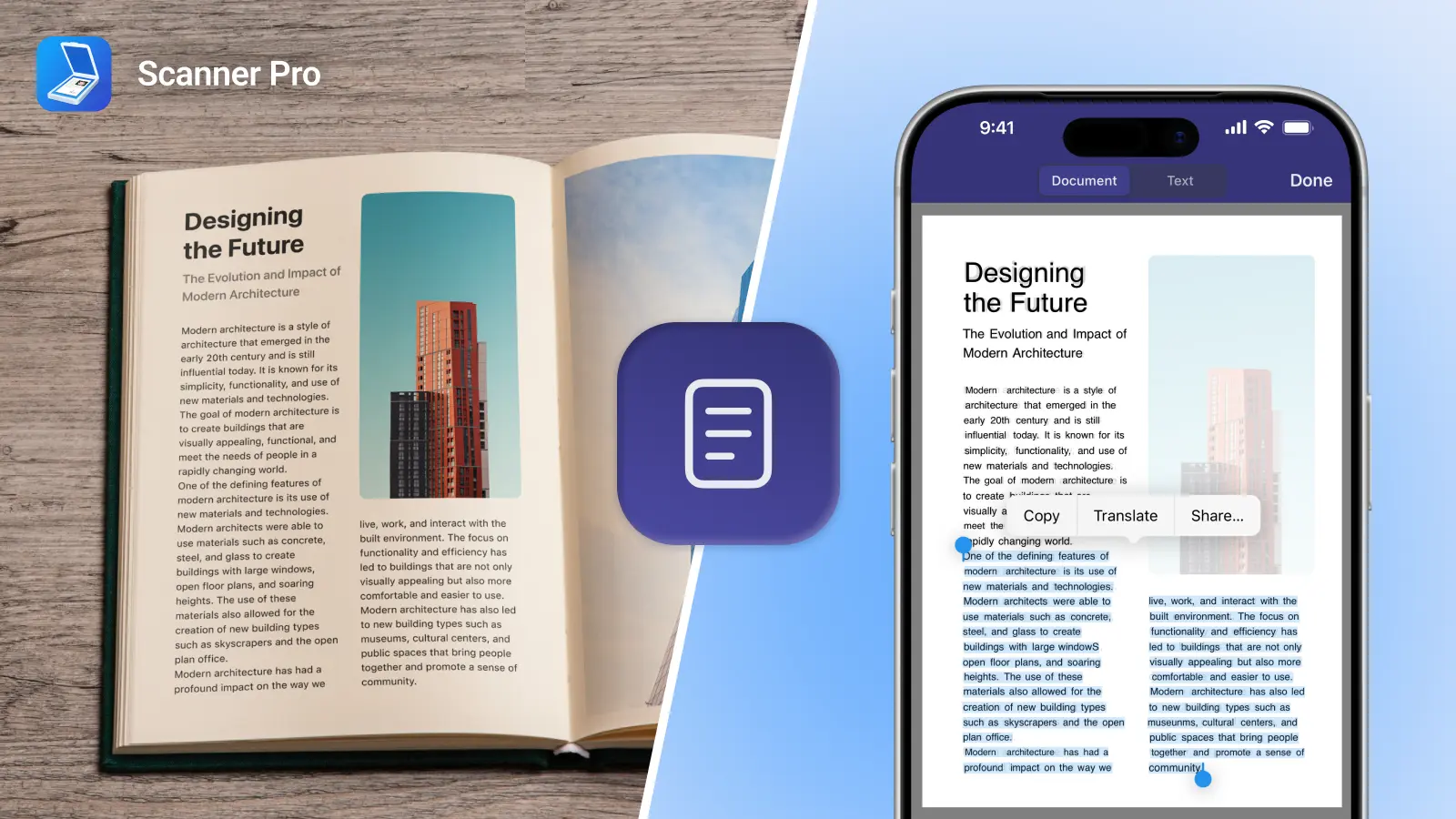
Scanner Pro 4.1 was updated recently, adding iCloud support and completely new UI for the iPhone version (which is now consistent with its iPad counterpart).

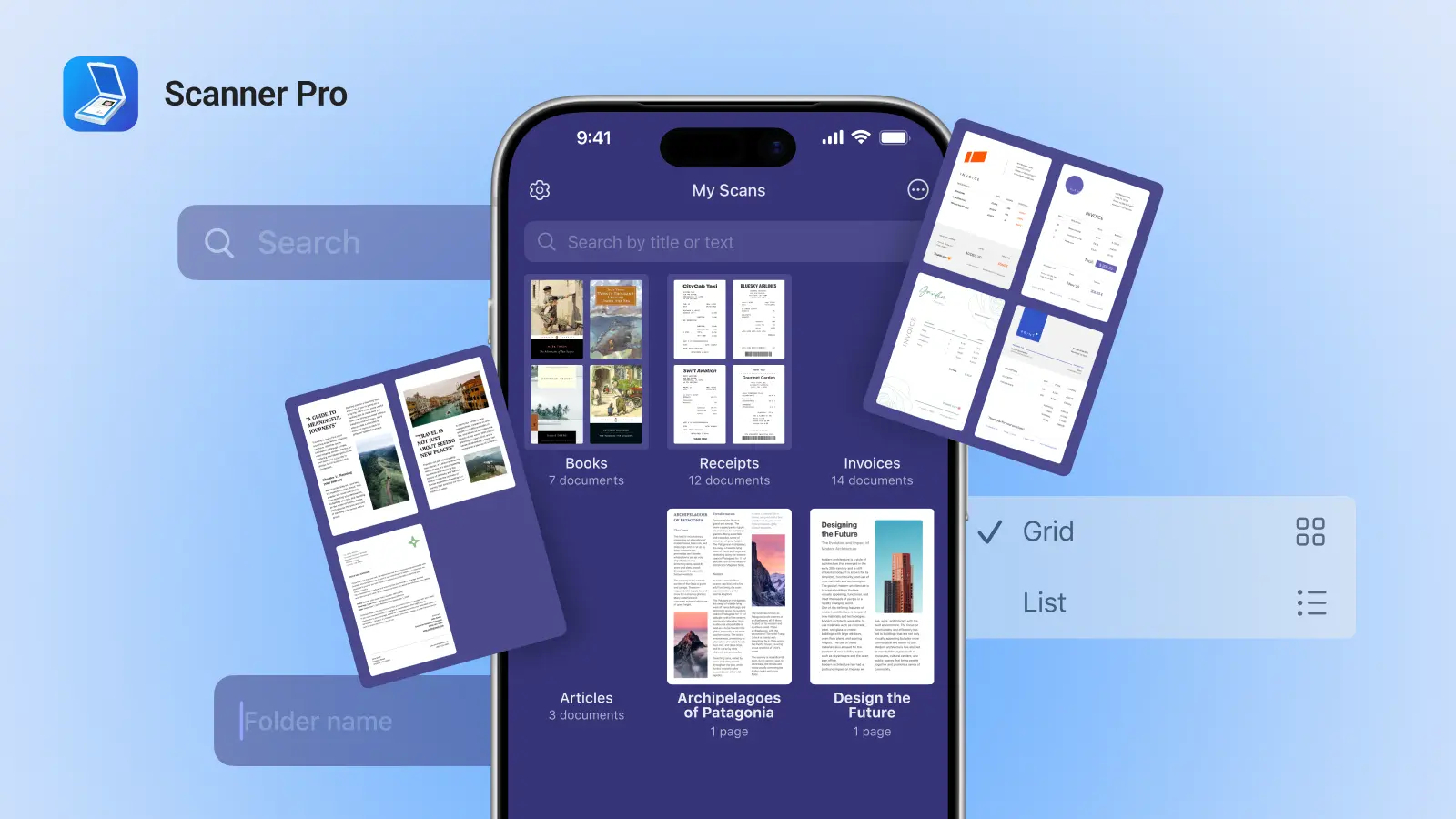
Having introduced Scanner Pro 4 two months ago, we released an iPad version of Scanner Pro (making it universal) with a revamped interface and applied a bunch of new things we’ve learned from Scanner Pro users during the last 3 years. The latest version of Scanner Pro (4.1), brings a completely new interface to the iPhone, focusing on the most important things to make the scanning process easier and more intuitive. With Scanner Pro 4.1 users will enjoy the new design and experience, which are consistent on both iPhone and iPad.

iCloud integration in Scanner Pro is the next logical step to increase productivity and efficiency. iCloud sync in Scanner Pro 4.1 brings convenient access to all your documents on your iPhone or iPad. When you take a picture on your iPhone, seconds later it can be accessed on your iPad and vice versa. Everything happens automatically! This is a unique feature for a scanner app and it opens the whole new range of use cases and implications. Simple sign in and enjoy!

This is a highly anticipated update by almost 500,000 users worldwide. It brings convenience, speed and better user experience.

As always, we are happy to give away 5 promo codes for this awesome app to our loyal users.

To win the code simply follow these steps:

1) Follow us on Twitter or like our Facebook Page
2) Retweet this post or Share on FB
3) 5 winners will be selected randomly within 24 hours

Good luck!

Comments


App Store issue with Scanner Pro 4.1 (the story goes on as Apple removes all comments)

5 July, 2012

Scanner Pro, Uncategorized

Yesterday the Scanner Pro 4.1 hit the App Store. Immediately, our team received tens of emails about the update crashing on start. Simultaneously, reports showed that the same issue also affects other popular applications, including Instapaper by Marco Arment.

The problem was in the App Store distribution system. iTunes servers were sending corrupted application packages to many users, mostly in the US and UK. Sometimes immediate reinstall worked. For others, it took several hours to receive a valid archive.

We have contacted Apple about this issue, but haven’t heard back yet. Meanwhile, the issue is almost fixed and we only receive occasional emails about it.  

Update: After all the hype yesterday in major tech press: TechCrunch, VentureBeat, GigaOm, Gurdian, etc. Apple has released an official statement:

“We had a temporary issue that began yesterday with a server that generated DRM code for some apps being downloaded,” Apple said in a statement to AllThingsD. Apple said it affected only a small number of users.
“The issue has been rectified and we don’t expect it to occur again”.

In order to bring justice, Apple has decided to remove some comments of corrupted apps on the App Store, since many of those get 1-star ratings from angry users. However, this is a very questionable move.
Scanner Pro has already had 30+ great reviews from users, who were happy about the update (obviously, they have installed the uncorrupted binary). This will affect the whole ecosystem negatively, as the new users won’t be able to get information about the apps, generated by existent users. It seems that some comments from yesterday are still there, but they cannot be seen since the update is already in the AppStore.
Undoubtedly, Apple is trying to solve the issue the best way possible. For example, they have manually removed some of the 1-star rating from Marco’s Instapaper, but there are a few negative reviews about Scanner Pro from 4-5th of July.

Apple has just now pushed the update for all corrupted apps once again. So head to the App Store and download the update for Scanner Pro 4.1 once again.
Here is the link: http://itunes.apple.com/app/scanner-pro-scan-multipage/id333710667?mt=8

We will appreciate if you leave some reviews in the App Store so the new users can learn from your experience how awesome Scanner Pro is ;)

Let us know how Scanner Pro works for you.

Comments


Adonit and @Readdle give away 30 Jot Classic styluses and 30 copies of Remarks app. Updated

20 June, 2012

Uncategorized


A great note-taking iPad app should be paired with a stylus. That is why we’ve teamed up with Adonit to give you both in our Twitter giveaway.

And here’s what the Remarks App can do for you:

- Write down or type in text notes
- Sketch
- Annotate PDF Documents
- Share Notes With Your Friends
- And, of course, more

In a nutshell, this is what you get with Jot – The most precise stylus. Ever.

Not in a nutshell, this is Jot in more detail:

-Precision Disc
-Ballpoint
-Heavy Metal
-Protective Cap

So, instead of paying for Jot and the Remarks app, you can win them free. We are giving away 30 of each. Here’s how to enter:

1. Live in the US. (Sorry international fans)
2. Tweet this post or manually copy: AdonitNews and @Readdle give away 30 Jot Classic styluses and 30 copies of Remarks app. Retweet to win http://readdle.com/blog/?p=1489
3. Each day, Adonit and Readdle will select 10 random winners.
4. We will contact each winner on Twitter.

That’s it. Happy Tweeting, people. Good luck.

The winners are:

@willmarks
@davidsousp
@jrobertswi
@gennepher
@nrtrom
@NoToTheRight
@clangrock
@Misc
@dcborn61
@beatleboymatt
@everywheresafe
@imsoper
@ozt1ks
@expertmac
@ghostshadow
@MissLisa1970
@mmizejewski
@jamcycler
@myneid
@creatureforhire
@Gleeble
@onetwowe
@MarkBedard
@avela13
@KissesForUsAll
@TJGilbert21
@TimelordMusing
@KyMcKe7
@marlinclark
@Tikishark

Comments


Readdle updates Calendars app with an extensive help section (5 promo codes contest)

24 May, 2012

Uncategorized

“Calendars” is a great planning app with tens of thousands of daily active users worldwide. As much as we try to make the app simple yet powerful, our support team has to answer hundreds of e-mails from the users.

A new “Help” section in “Calendars” will answer almost every question you have regarding the app. After an extensive feedback and research, we have added “FAQ” and “Tips and tricks” to help our users to discover new features and workarounds. To access “help” section simply tap on “Settings” button in the bottom left corner, scroll down and select the “Support” tab.

Click "Support" to access helpspot

You will see “Help” button, which you have to tap as well in order to access the helpspot database.

Find an answer to any question

Please, let us know if this helps you. Should you have any questions or require some further assistance simply drop us an e-mail to rdsupport@readdle.com.

To encourage the use of Calendars we are happy to give away 5 promo codes.

Giveaway.
All you need to do is to share this blog post via Twitter or Facebook. And don’t forget to follow and like us.

The winners will be announced in 24 hours.

Let us know your thoughts in the comments below.

Best,
Readdle Team.

Comments


Shakespeare Pro receives a massive update with new content and features

10 May, 2012

Uncategorized

Hello Shakespeare fans,

We are more than happy to finally release the new version of an ultimate Shakespeare app. The list of new features is massive.
However, the best part of the update is of course First Folio edition, which has been included in the application.

If you are not familiar with the app yet, Shakespeare Pro includes the complete works of Shakespeare (41 plays, 154 sonnets and 6 poems, including doubtful works) and search the concordance to find the exact word or phrase you’re looking for (with “relaxed” searching to find words close to your search term).

So what’s new? The list is impressive:

✔ Added First Folio editions of 37 plays (with original spelling and font)
✔ Added First Quarto editions of Sonnets, Two Noble Kinsmen and Edward III (with original spelling and font)
✔ Added Third Folio of Pericles (with original spelling and font)
✔ Major overhaul to Shakespeare’s Words glossary definitions, better identification of word instances
✔ Major update to editions of plays, including identifying each individual character (each messenger, servant, etc. given individual names)
✔ Added scene descriptions for every scene in every play
✔ Added character descriptions for every character in the works of Shakespeare
✔ Improved search results browsing and better results titles
✔ Expanded Facts section, fixed some text formatting errors
✔ Improved quote source browsing
✔ Fixed Shakespeare Passport flags
✔ Updated Shakespeare portraits
✔ Overall speed and stability
✔ Fixes to long character names
✔ Improved search speed
✔ Minor text corrections
✔ General stability enhancements and compatibility fixes

Join the Shakespeare community here.

Comments


Scanner Pro v.4.0.1 becomes more accurate and reliable (Win 5 promo codes)

19 April, 2012

Uncategorized

Shortly after the initial launch of Scanner Pro 8 days ago, we are happy to release an update v 4.0.1.
It features better border detection in the iPhone version and fixes issues with Evernote upload.

Scanner Pro became #1 business application in more than 6 App Stores in the UK, US, Canada, France, Italy.
Thank you all for amazing support and feedback! That’s what keep us going.

This short guide will give you some info on how to ensure great results with Scanner Pro.
Moreover, 5 promo codes will be given away to people who share this post with their friends via Twitter or Facebook.

If you are new to the concept of scanning documents with Scanner Pro we advise you to watch this video

In order to get great results with border detection and quality while scanning follow these 3 simple steps:

1) Make sure you are using iPhone 4/ 4S or the new iPad.

2) Clean your camera before taking a shot! This might sound obvious, but you won’t believe how many people complain about quality, while having their cameras covered with fat and dust.

3) Put the document on a flat surface and make sure the edges are close to the display’s borders of your iPhone or iPad (we will keep improving edge detection algorithm).

As always, we are giving away 5 promo codes. All you need to do is to share this post on Facebook or Twitter (and of course like our Facebook page and follow us on Twitter). Also, tell us how you are going to use the app.
Lucky winners will be announced in 2 days.

Share your thoughts in comments below.

P.S. Guys, you don’t have to tell us that you have shared the post.

Comments


ReaddleDocs for iPhone gets a second breath with version 3.1 (5 promo codes)

20 March, 2012

Uncategorized

ReaddleDocs for iPhone, a legendary file manager and document viewer, has just been released to the AppStore, featuring version 3.1. This major update gives a second breath to one of the first file managers on the AppStore.

More than 380,000 people are using ReaddleDocs on their iPhones worldwide. 4 years of evolution and continuous development are paying off.

Our team worked on almost every aspect of the app, making it even more powerful and beautiful. In the end, we finished with almost a new application.

This is the short list of improvements:

• General Changes

- Completely redesigned interface
- New ‘Recents’ virtual folder with a quick access to recently opened files
- Separate iCloud tab
- Network and Mail tabs are combined into single tab
- File storage complies to iOS Data Storage Guidelines

• File Viewers Improvements
- PDF viewer with improved speed and stability
- Added underline and strikeout annotations for PDF
- Bookmarks for PDF files are saved inside PDF outlines now
- Faster viewer for TXT documents with font selection
- In-document search for MS Office, TXT and RTF files
- MP3 player now supports playlists and background mode as well as few other features
- Image Viewer loads large pictures much faster
- There is a possibility to view CHM files
- EPUB and FB2 viewer is fixed again
- This update has also RAR unarchiver

• Built-in Browser Improvements
- Ability to save part of the page to Web Archive
- Bugfixes

• Network Protocol Improvements
- Fixed GoogleDocs client
- Upload files to FTP/SFTP with your device
- FTP compatibility improvements
- Private Keys for SFTP servers
- SFTP works much faster now
- WebDAV client and server improvements

• Security
- iOS Data Protection
- ‘Require Immediately’ setting for Passkey Lock

As always, we are giving away 5 promo codes. All you need to do is to share this post on Facebook or Twitter (and of course like our Facebook page and follow us on Twitter.
Lucky winners will be announced in 2 days.

Share your thoughts in comments below.

Comments


Readdle is hiring: Parnter opportunity for Asian markets

17 March, 2012

Uncategorized

Readdle is looking for a partner to join the team and help us to tap into Japanese AppStore market.

The goal is simple: “to increase our sales, brand awareness and presence in Japan”. If you are into marketing, technology and social media we offer a challenging job at Readdle. At this position you should be able to achieve good financial results for Readdle and yourself, expanding our brand and products into primarily Japanese market. You should be agile and eager to achieve success within highly competitive iOS markets in Asia.

This is a short description of responsibilities you will get from day 1:
-Working on Readdle apps to meet the standards of Japanese market
-Implementing product marketing strategy
-Increasing brand awareness via PR and personal connections
-Running Social Media campaigns
-Dealing with press, journalists, bloggers and other influencers
-Copyrighting (Press releases, web materials, newsletters, etc)

Requirements

-Fluent English and Japanese (native speaker preferred)
-Tech savvy, familiar with the iOS and mobile industry
-Creativity and the ability to see global picture
-Extensive experience in digital marketing, social media and blogging
-Perfect communication skills (both written and verbal)
-Valuable contacts with the press and tech journalists
-Ability to show results and measure it
-Constant learning about the latest digital marketing and PR trends

This is a great opportunity to join one of the most reputable companies in the industry. Our friendly and supportive atmosphere will help you to achieve good results. Please, do send your CV and personal statement to denis@readdle.com

P.S. Only those who can ride unicorns may apply.

Comments


Readdle updates Remarks for iPad to v1.1 and gives away 5 promo codes

15 March, 2012

Uncategorized

Upon a very successful Remarks launch back in February, we are delighted to announce that version 1.1 has just hit the AppStore.

Remarks is simple yet powerful note taking application. It also allows you to annotate PDFs with its amazing and intuitive interface. If you like sketching it will do a great job!

Here is a short video

Remarks v1.1 adds Dropbox and Googledocs support, making the flow of documents much easier and organized. The new drawing engine improves handwriting and makes it smoother.

The improved UI brings better controls, pinch to zoom and many small features we’ve been asked about.

We are giving away 5 promotional codes for this new version. In order to participate, all you need to do is to share this post on Twitter or Facebook (and of course follow or like).
5 lucky winners will be announced in 2 days.

We appreciate your thoughts and feedback. Readdle pursuits the goal of making great product to make your life easier. So please, feel free to comment below and leave some comments in the AppStore.

Comments