Incredibly accurate organization of your time!
Calendars for Mac let you regain control of your schedule and achieve a perfect balance between work and personal commitments.
A whole year or a few minutes — make the most of Calendars for macOS and streamline your time management like never before.
Step 1: Connect and consolidate your Calendars and tasks
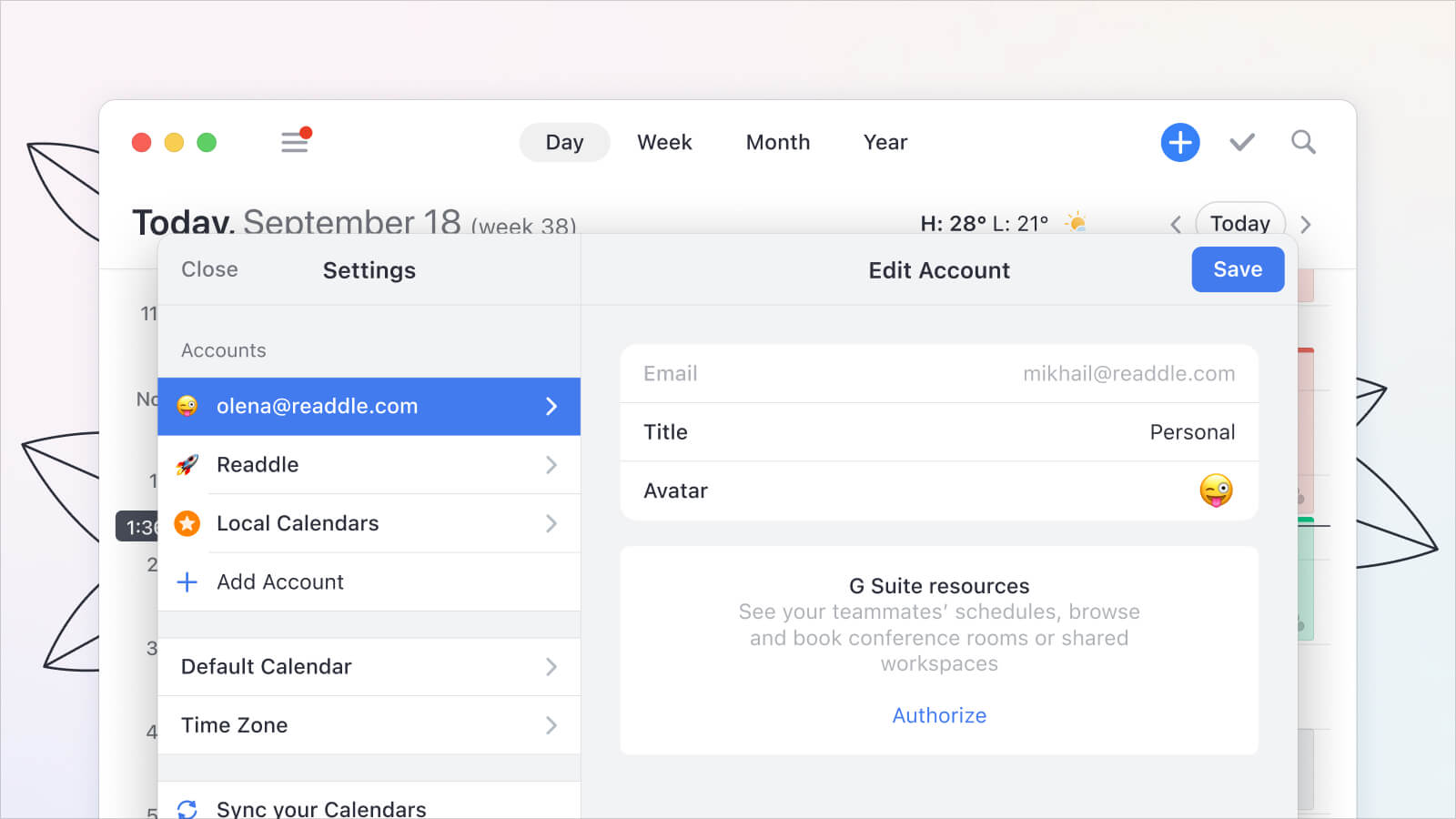 To begin, ensure you have Calendars for Mac installed on your computer. Launch the app and connect all your calendars and tasks in one place. Whether it's Google, iCloud, Outlook, or even Google Tasks and Reminders, Calendars for Mac allows you to integrate them all seamlessly. Thus, you get a comprehensive overview of your day-to-day activities, helping you balance work and personal commitments effortlessly.
Step 2: Effortlessly plan your day with the planner
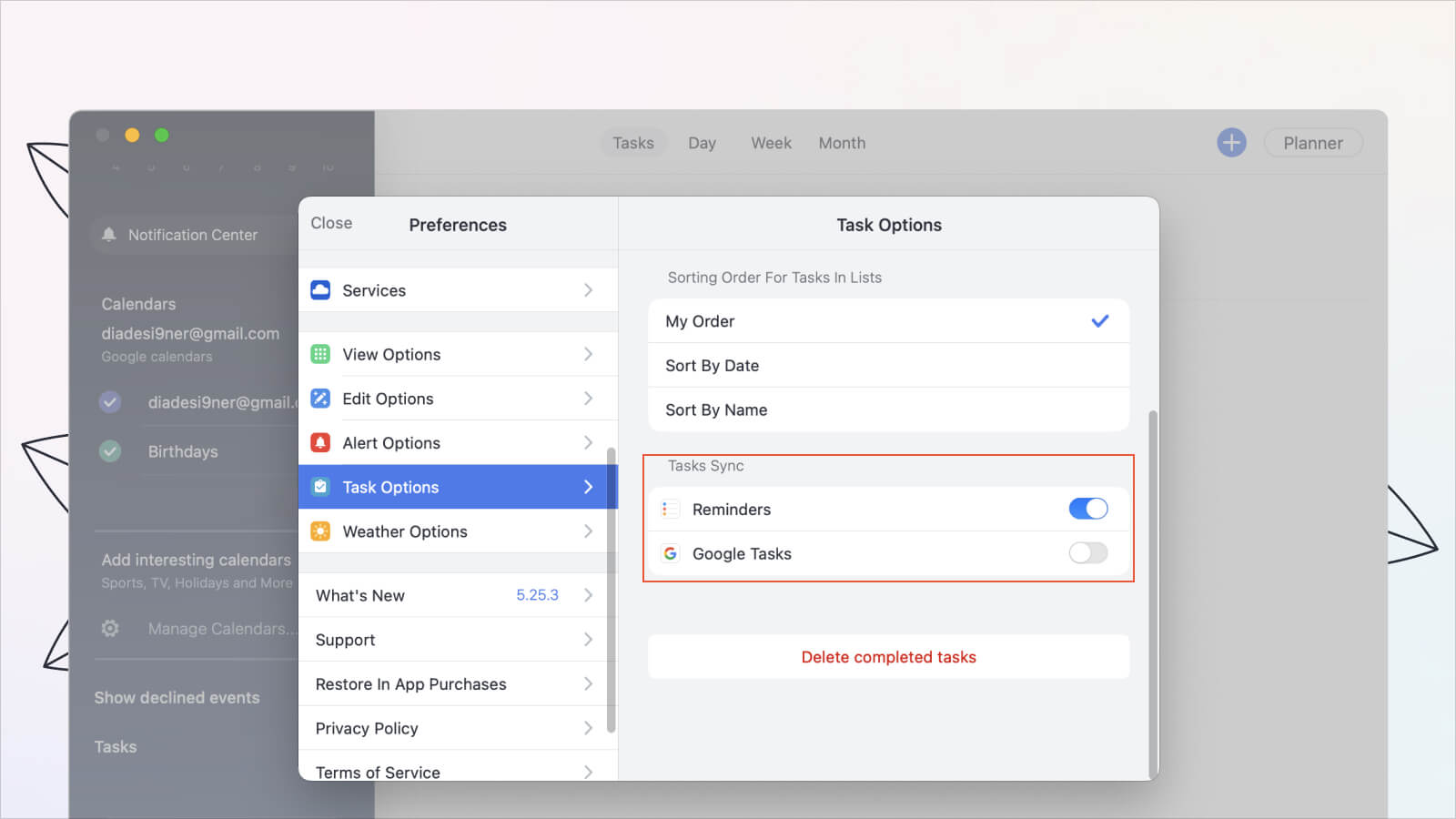
The Planner feature in Calendars for Mac makes your plans live in your space and time. Start by synchronizing your to-do lists and calendar events within the app. By visually organizing your day like assembling a jigsaw puzzle, you'll gain insights into task relationships and find the best timings that align with your work, rest, and leisure moments.
Step 3: Streamline your routine with Shortcuts
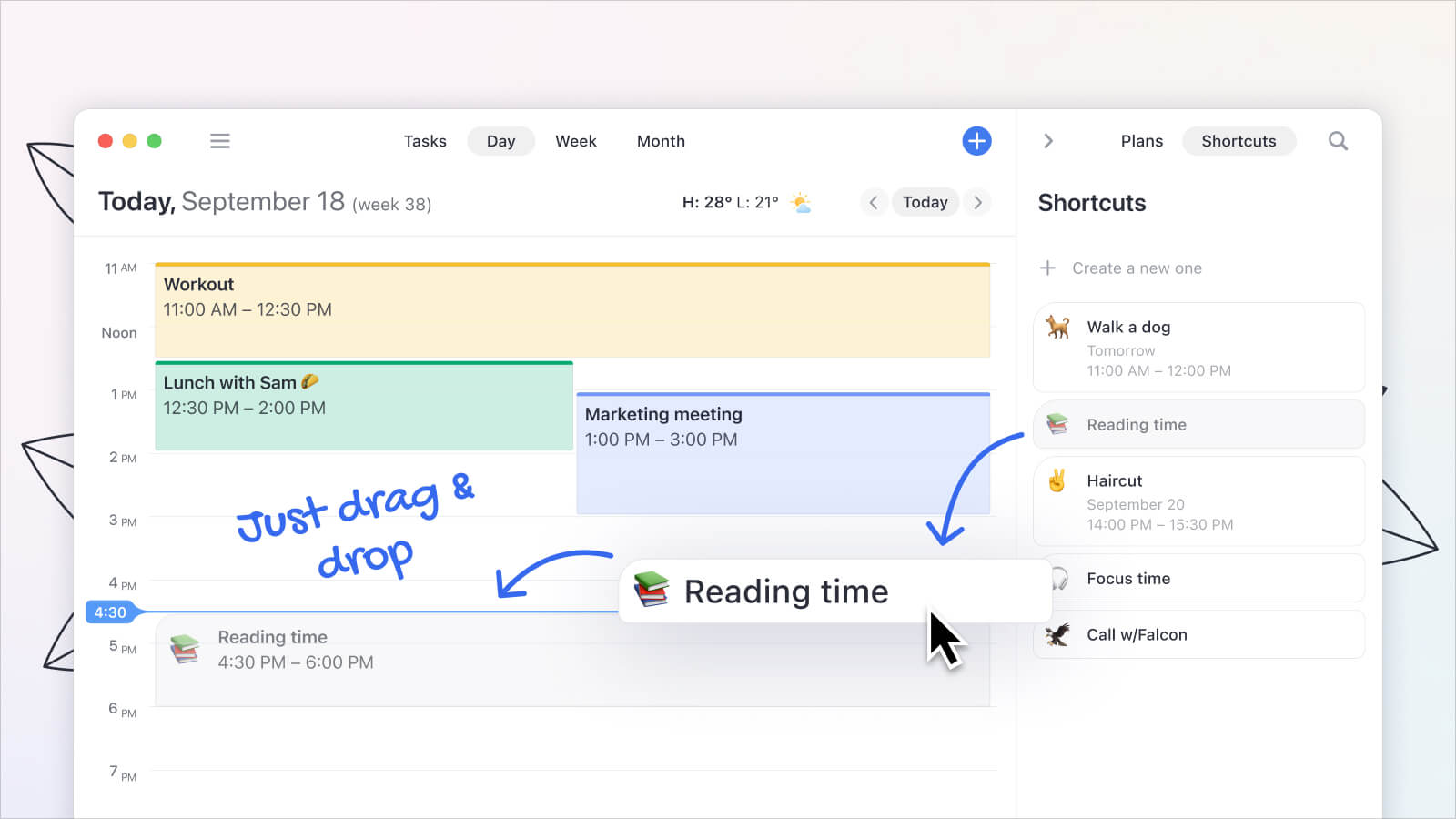 Shortcuts are a powerful tool in Calendars for Mac that allows you to streamline your routine. Begin by setting up shortcuts for your regular activities, habits, and hobbies. Whether it's a morning run, language lesson, meditation session, or quality time with loved ones, Shortcuts simplifies scheduling by offering a simple one-tap setup.
Create your shortcuts once and reuse them, effortlessly plan your day at a glance, and add a touch of fun with your favorite emoji. With Shortcuts, balancing essential tasks and personal desires has never been easier.
Step 4: Experience Calendars' superior features on Mac
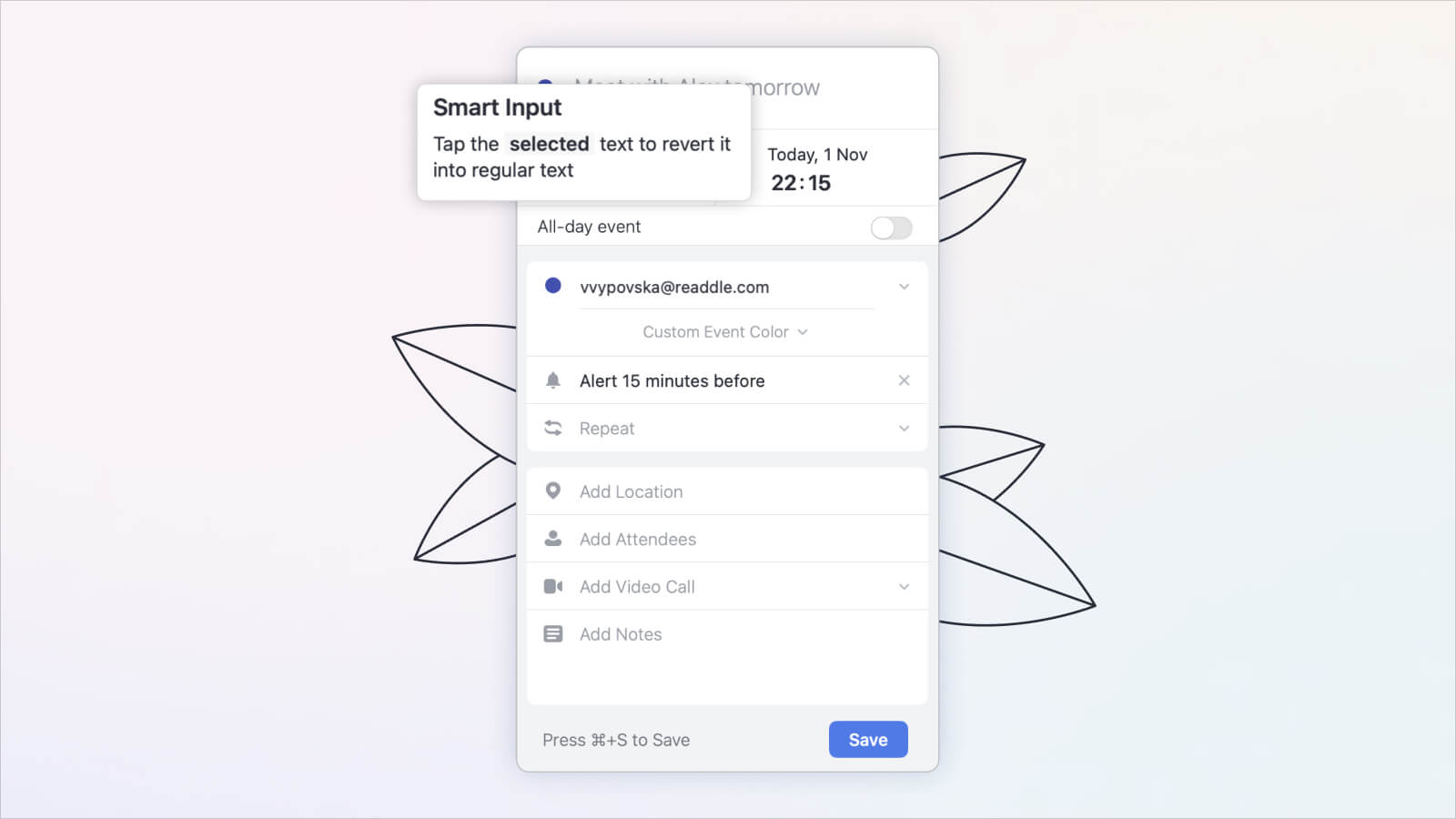 Calendars for Mac brings the best features from the iOS version to your desktop, providing an enhanced experience. Stay informed with real-time weather updates, ensuring you are prepared for any conditions.
Utilize natural language input to create events effortlessly by typing what you want, and Calendars will generate the event for you. Set up recurring events for regular activities and keep track of your tasks with a centralized to-do list. Take advantage of enhanced color coding to easily segment and visualize your daily events. Additionally, seamlessly integrate video calls into your event scheduling with support for popular platforms like Zoom, Meet, and GoToMeeting.
Step 5: Sync and simplify with Apple devices
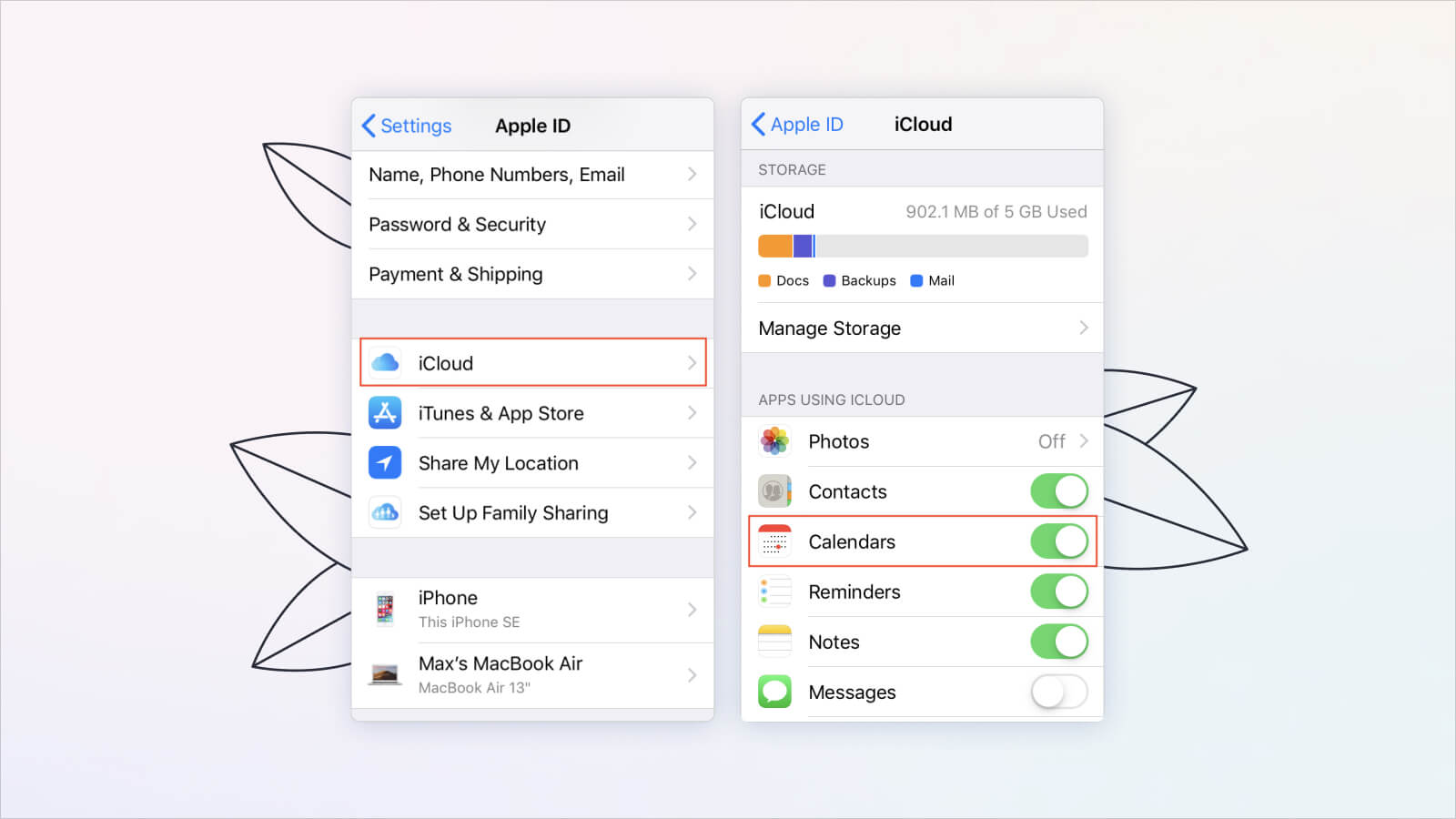
One of the major advantages of Calendars for Mac is its seamless synchronization across all your Apple devices. Whether you're using a Mac, iPad, iPhone, or Apple Watch, you'll enjoy a consistent interface, feature set, and data synchronization. Enter events on your computer, and they instantly sync to your mobile device, ensuring your schedule is always up-to-date. Say goodbye to duplication and enjoy the convenience of managing your time seamlessly across all your Apple devices.
Conclusion: Embrace efficient time management
Congratulations! You've learned how to maximize your time with Calendars for macOS. Following these steps, you can regain control of your schedule, balance work and personal commitments, and optimize your productivity. Experience the power of efficient time management, a unified interface, and seamless sync across your Apple devices.
