
PDF Expert can now find that note you jotted down in a PDF a year ago
Oct 5, 2026
Ready for iOS 27 and iPadOS 27 on day one, the update makes handwriting searchable and puts PDF tools one Apple Pencil Pro squeeze away.
September 14, 2026. A handwritten note is only useful if you can find it again.
Readdle today released a new PDF Expert update for iPhone and iPad. Its headline feature is designed for anyone who has ever written down a note and later forgotten which PDF it was in.
Handwriting Recognition makes handwritten annotations searchable within individual PDFs or across a user’s entire PDF Expert library. The notes remain exactly as they were written, but users can find them like typed text.
The feature supports 29 languages and works with both new and existing annotations, including handwriting previously added to a PDF in another app.
A student can find a single term across a semester of lecture notes. A construction professional can search marked-up plans for a field comment. A lawyer can find a handwritten note about a key clause or piece of evidence across case files.
The update builds on Readdle’s nearly two decades of developing software for the Apple ecosystem, with features designed to feel native from the first glance, tap, or even squeeze. Handwriting Recognition gives Apple Pencil users the freedom to write as naturally as they would on paper while making every note searchable like digital text.
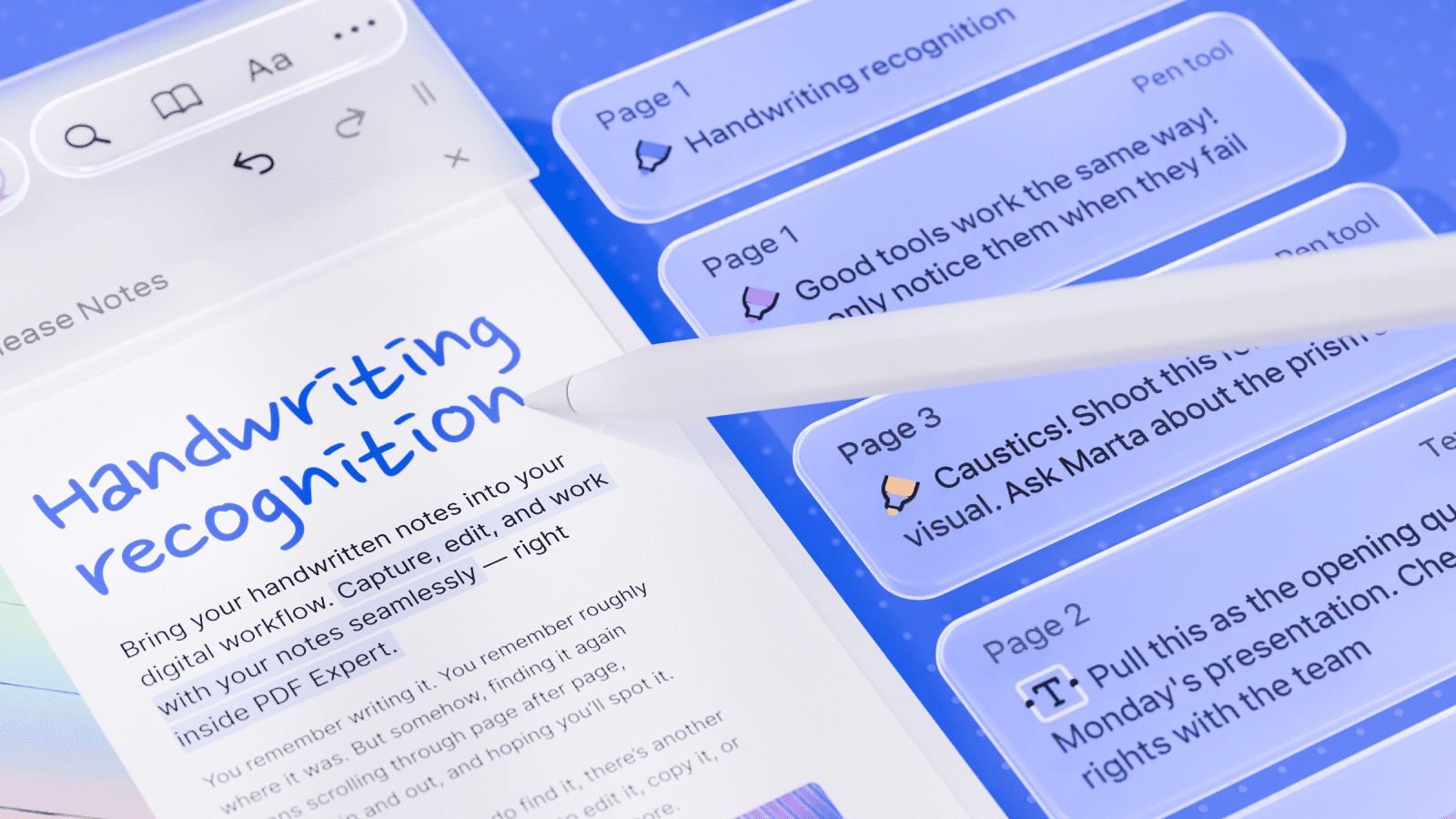
Handwriting Recognition finds notes across your PDF library
PDF Expert indexes handwritten annotations quietly in the background without changing how they look.
Users can search within the PDF they have open or across their entire library when they remember the note but not the document. Existing handwriting is indexed too, so users can benefit from the feature without creating any new annotations.
Apple Pencil Pro squeeze brings tools directly to the page
PDF Expert now supports the Apple Pencil Pro squeeze gesture. Squeezing the Pencil opens PDF Expert’s tool palette directly on the page.
Users can switch between pens, markers, highlighters, shapes, stamps, signatures, and measurement tools. They can also adjust color, thickness, and opacity, access recent or favorite tools, switch to the eraser, or undo and redo an action.
Apple Pencil Pro squeeze support requires an Apple Pencil Pro and a compatible iPad. If the squeeze gesture has been assigned to another action, users can select Show Tool Palette in the Apple Pencil settings.
Liquid Glass expands across the PDF Expert interface
PDF Expert is extending Apple’s Liquid Glass design across more of the app, including the sidebar, document viewer and its toolbar, and Presentation mode.
The update also adds dedicated undo and redo buttons, putting two frequently used actions closer to the document.
Available with iOS 27 and iPadOS 27
The update is available through the App Store alongside the release of iOS 27 and iPadOS 27 for compatible iPhone and iPad devices.
Handwriting Recognition and search across the PDF Expert library are included with PDF Expert Premium. Free users can use the Text tool to write by hand and have their handwriting converted into typed text as they write.
PDF Expert is free to download, with Premium features available as an in-app purchase.
About PDF Expert
PDF Expert is Readdle’s PDF editor for iPhone, iPad, and Mac. Used by more than 30 million people worldwide, it helps users read, edit, annotate, sign, and organize PDFs.
About Readdle
Readdle is a global technology company founded in Ukraine. Its apps, including PDF Expert, Spark, Documents, Calendars, Scanner Pro, and Fluix, have been downloaded more than 235 million times worldwide.
Media contact
Olesia Shpak
Brand Communications Manager, Readdle
pr@readdle.com
oshpak@readdle.com
readdle.com
Press Kit: Link
Product Video: Google Drive | YouTube
Blog Post: iOS 27 and iPadOS 27 update | Apple Pencil Pro squeeze