Some tasks don’t need more time. They need a boundary.
That’s the idea behind timeboxing. You decide in advance how long you’ll work on something, focusing until the timer runs out, then stopping (or intentionally choosing what happens next). It’s a simple scheduling strategy that protects your attention and keeps perfectionism from turning a “quick edit” into a three-hour identity crisis.
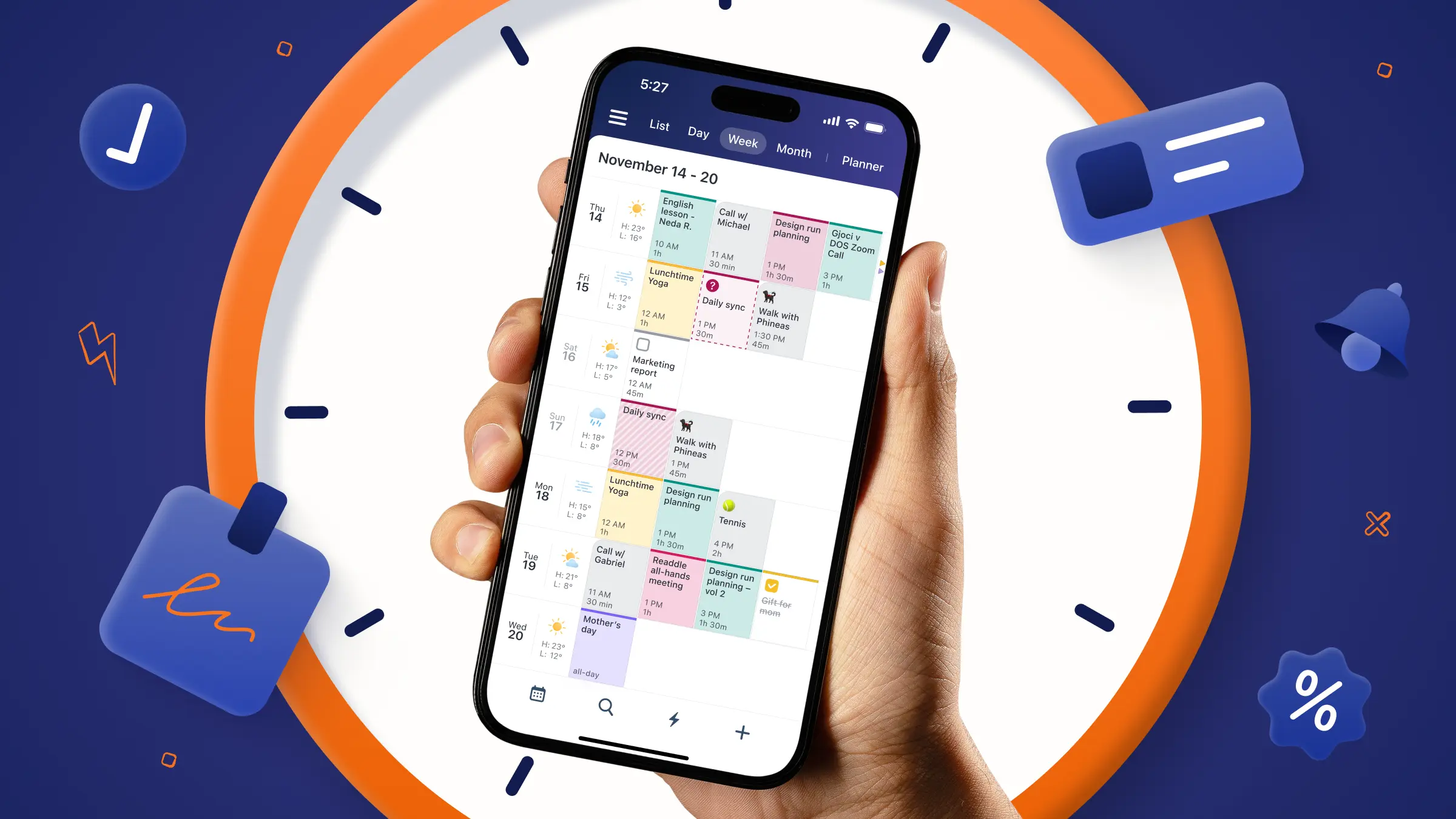
And if you want an easy way to make that boundary real, Calendars by Readdle is a great companion: you can block the time, set reminders, and treat your timebox like a real appointment - because it is.
What is timeboxing?
Timeboxing is a productivity method where you assign a fixed, maximum amount of time to a task or activity in advance (the “timebox”), work on it during that window, and then evaluate what to do next when the time ends.
It’s used in personal productivity, but began as a core idea in Agile project management (think: sprints and timeboxed meetings).
Why timeboxing works for real-life productivity
Timeboxing helps because it replaces fuzzy intentions (“I’ll work on this later”) with a clear constraint (“I’ll work on this for 30 minutes at 2pm”). That constraint does three useful things:
It reduces “starting friction”
Starting is usually the hardest part, not because you’re lazy, but because your brain has to do two things at once: decide what to do and then do it. A concrete plan makes that easier by removing the in-the-moment decision. You’re not negotiating with yourself at 9:07am, you’re simply following a script you wrote when you had a clearer head.
Psychologists call this idea implementation intentions, which is just a fancy name for if/then planning. It looks like: “If it’s 9:00 and I’ve made coffee, then I’ll spend 25 minutes outlining the post.”
And it’s not just a nice theory. A major meta-analysis reviewed 94 studies and found that if/then planning had a positive effect on achieving goals. In everyday terms: people who made a simple if/then plan were meaningfully more likely to follow through than people who only set a goal and hoped for the best.
This is exactly why timeboxing works so well. When you timebox something, you’re doing a practical version of if/then planning: “If it’s on the calendar, then I do it.” The moment arrives already labeled, which makes it much easier to begin.
It limits task sprawl
When a task has no edges, it expands. Not always dramatically, just quietly: a little more polishing, a little more checking, a little more “I’ll just fix this one thing.” A timebox gives the task a border, and that border forces a helpful decision: what does “good enough for today” look like?
There’s research showing that deadlines and structure can change how people behave. In one study participants did a proofreading task under different deadline setups. People who had evenly spaced deadlines reported spending more time actively working (about 84 minutes) compared with people who only had a single end deadline (about 50.8 minutes). That’s the timeboxing effect in miniature: structure nudges you to start earlier and engage more consistently, instead of leaving everything to the last minute.
Another large meta-analysis also found that time management was linked with lower psychological distress. People who manage their time better also tend to feel noticeably less stressed - which is a great win when you are trying to be more mindfully productive.
It protects focus from the chaos of interruptions
A study by the University of California showed that it takes employees an average of 23 minutes to refocus after an interruption and that the average worker is interrupted every 2 to 3 minutes during the workday.
63% of workers say that it takes them about 10 minutes to regain focus after a distraction, while 21% require up to 30 minutes, and 11% take an hour or more which means that interruptions to deep work are really eating away at your productivity.
The American Psychological Association summarizes research suggesting task switching like this can cost as much as 40% of productive time in some cases.
Timeboxing won’t remove interruptions, but it makes focus harder to casually steal because you’re working inside a defined window with an end.
Timeboxing vs. time blocking: what’s the difference?
They’re related, but they solve slightly different problems.
| Time blocking puts a task on your calendar | Timeboxing puts a limit on the task |
| Example: “Writing from 9:00–11:00.” | Example: “Draft the intro for 45 minutes, then stop.” |
If time blocking answers “When will I do this?”, timeboxing answers “How long am I allowed to spend on this today?”
You can (and often should) combine them: block a “Project work” slot, then timebox specific outcomes inside it.
How do I implement timeboxing?
Start small. Timeboxing is easy to overcomplicate, and it doesn’t need it.
Choose one task that keeps dragging on.
Good candidates: email, admin, planning, editing, “just one more tweak,” anything you keep postponing because it feels endless.
Decide the smallest useful timebox
15–30 minutes is perfect for your first few. We suggest timeboxing with a set allotted time, then evaluating your progress afterward.
Define what “done for this box” means
Not “work on presentation.” More like: “Write 6 slide titles” or “Edit section 1–2.” Being specific is what keeps the box from becoming vague calendar decoration.
Remove the obvious distractions for that window
Not forever. Just for the box.
Stop when the time ends, then choose
When the box ends, decide: ship it, schedule another box, or change the plan. The core idea should be stopping when the time is up and then assessing progress.
A simple timeboxing template
Here are a few “starter boxes” that work for most people:
15 minutes: Inbox resetGoal: reply to the 5 most important messages, archive/delete the rest. You can use ai powered email tools to help you with this like Spark Mail App. |
25 minutes: Start the hard thingGoal: outline the next step, write the first paragraph, solve the first sub-problem. |
45 minutes: Progress boxGoal: complete one defined chunk (one section, one doc pass, one analysis step). |
10 minutes: Shutdown boxGoal: capture loose tasks, timebox tomorrow’s first priority. If you’re using time tracking, you can review after a week and adjust your box sizes based on reality instead of vibes. |
Is timeboxing good for productivity?
It often is, especially when your days get eaten by “small stuff” that somehow takes the whole day.
There’s also some popularity data: a Harvard Business Review article notes that in a survey of 100 productivity hacks, timeboxing (moving to-dos into the calendar) was ranked the most useful.
However, timeboxing works best when you treat it as a tool, not a moral philosophy. You’re allowed to adjust.
What are the disadvantages of timeboxing?
Timeboxing has a few predictable failure modes:
It can feel stressful if your boxes are too tight
Fix: Start with generous boxes and shorten later. For the first week, aim for “confidence boxes” you can actually finish, so the system builds trust instead of pressure. Once you have a baseline, tighten the timebox in small steps (e.g., shave 5–10 minutes) rather than jumping straight to aggressive limits.
It can create a “timer guilt” spiral
Fix: Remember the goal is better decisions, not punishment. If you underestimated, the win is noticing and adjusting. Treat overruns as data: either the task was bigger than you thought or the “done” definition was fuzzy—both are fixable. When it happens, schedule a second box on purpose instead of stretching the first one indefinitely.
It can incentivize rushing quality work
Fix: Timebox the right stage. For example, timebox drafting (speed helps), then timebox editing separately (quality helps). You can also add a quick “quality check” mini-box (5–10 minutes) at the end, so you’re not shipping something you haven’t even skimmed. Over time, you’ll learn which tasks need “fast boxes” and which need “care boxes.”
It can be unrealistic in interruption-heavy roles
Fix: Use shorter boxes plus buffers. If your day is unpredictable, a 25-minute box is easier to protect than a 2-hour fantasy block. Build interruption-proofing into the schedule by adding buffer blocks (10–15 minutes) after focus boxes for spillover, handoffs, and “surprise” requests. And if you’re constantly on-call, try timeboxing response work too (e.g., two 20-minute “triage boxes”), so interruptions don’t smear across the entire day.
Tools for timeboxing (including Calendars by Readdle)
A good timeboxing tool does two things: it makes it fast to schedule a box, and it makes it painless to move it when life happens. That’s the real test because the perfect plan rarely survives a real day.
Calendars by Readdle is built for that “edit fast” reality. It’s quick to drop blocks onto your day, easy to adjust on the fly, and smooth to keep your schedule aligned when priorities shift. Instead of turning planning into a project, it helps you stay in motion: plan with confidence, then rearrange without friction when meetings run long, tasks take longer than expected, or you simply need to protect focus time.
In other words, it supports timeboxing the way people actually do it. Not timeboxing as a rigid system, but as a flexible way to give your day shape, protect what matters, and make changes without losing the thread.
Let’s look at how you can put it into practice:
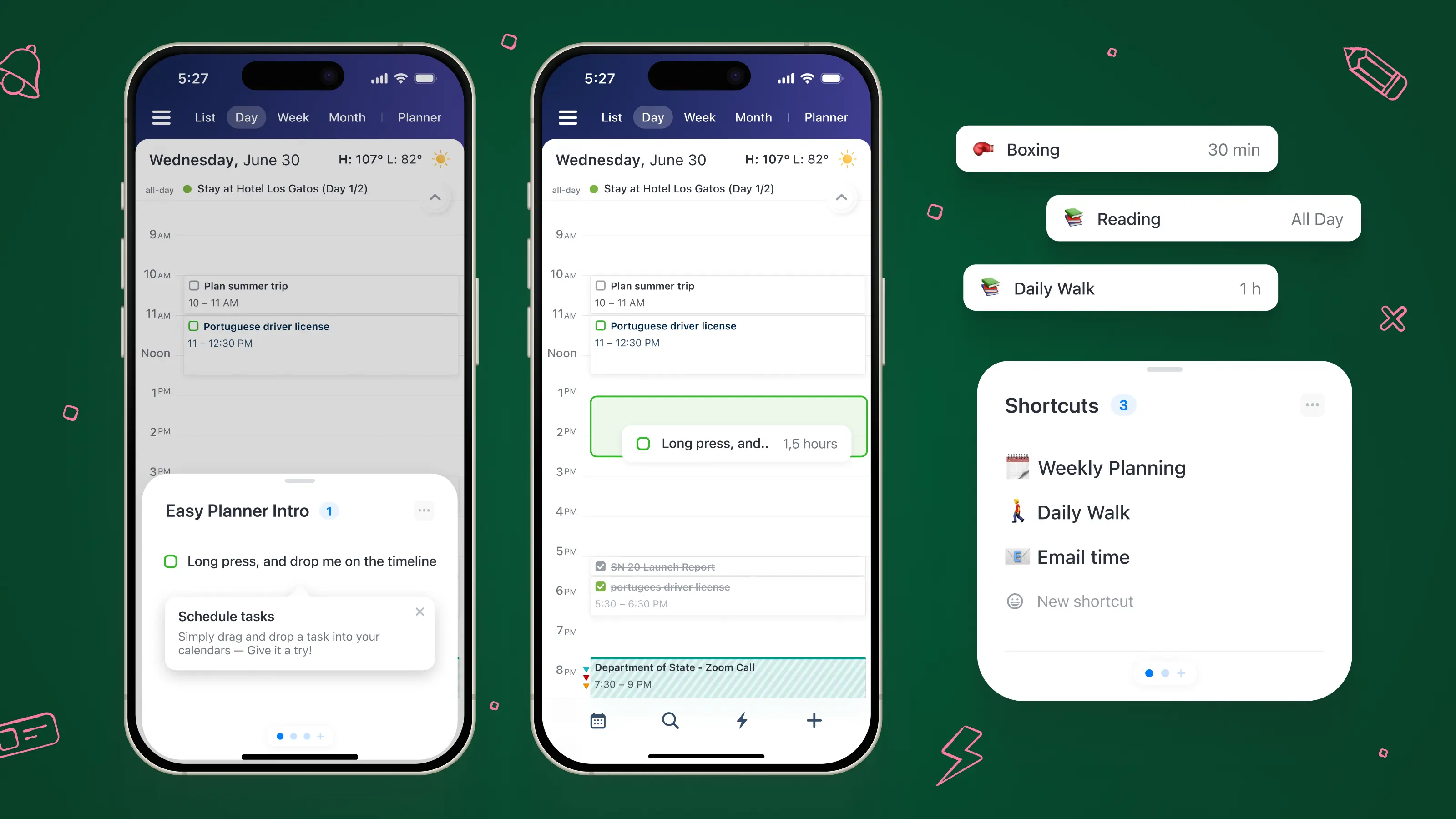
Drag tasks onto your timeline
Readdle’s Planner features let you tap-and-hold a task and drag it directly onto your day, so creating a timebox feels like placing a block, not filling out a form.
Adjust durations in Day view
Timeboxing lives and dies on duration. Calendars supports adjusting task durations in any view, which makes it easy to set a 30-minute box (and keep it honest).
Quick scheduling when you’re replanning on the fly
Calendars’ Quick Scheduler is designed for assigning tasks to specific time slots (especially in Day view), which is basically what timeboxing is in practice.
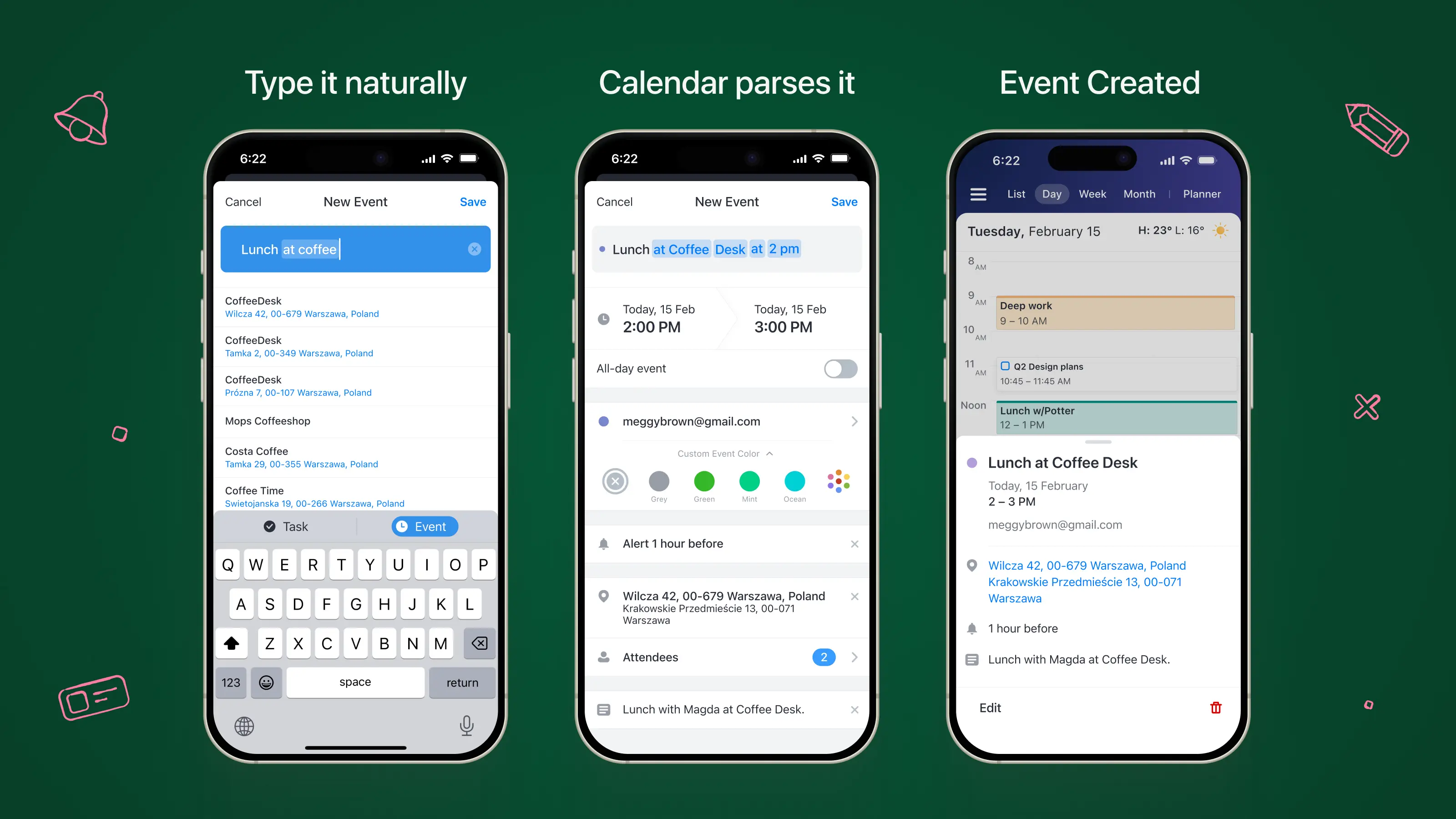
Natural language input for speed
If scheduling feels slow, you won’t do it. Calendars lets you create events by typing in plain English (and supports multiple languages), which is handy when you’re planning quickly.
Recurring events for repeatable boxes
If you timebox the same activities weekly (planning, reviews, workouts, study), recurring events help you keep the habit without rebuilding the schedule every time.
Takeaway
Timeboxing is a small change with a big payoff: it turns “I’ll get to it” into “I’m doing it now, for this long.”
It won’t eliminate chaos, distractions, or the occasional day that goes completely off the rails, but it does give you a simple way to protect focus, limit task sprawl, and make better decisions about what deserves more time.
Start with one box tomorrow. Pick something that’s been dragging, give it a reasonable limit, and stop when the time’s up. If nothing else, you’ll finish the day with progress you can be proud of and a schedule that feels like it belongs to you.