You know the feeling: You’re trying to build new healthy habits: morning workouts, nightly reading, drinking water regularly, and going to bed earlier. Then life happens. Schedules shift. You miss one day, then another. And suddenly, the habit you really wanted to build slips off the radar.
It’s not a lack of willpower; it’s just that forming habits is hard. Experts say that it can take anywhere from 21 to 66 days—sometimes longer—to solidify a new behavior. Consistency is the magic ingredient and yet the hardest part, especially when your days are already overflowing.
That’s precisely what the new Habit Tracker in Calendars by Readdle is for. Instead of letting habits stay forgotten in the abstract, the Calendars app helps you carve out real time for them. You can add your habits as dedicated events in your daily schedule, set reminders so that you never forget, and track your progress to stay accountable—even on your busiest days.
In this guide, you’ll learn how to use the Calendars app to create customized habits, set reminders, log and review progress, and use built-in features to make habit building seamless.
You can even add a prep reminder a bit further beforehand (e.g., “Lay out workout clothes the night before”) to reduce friction.
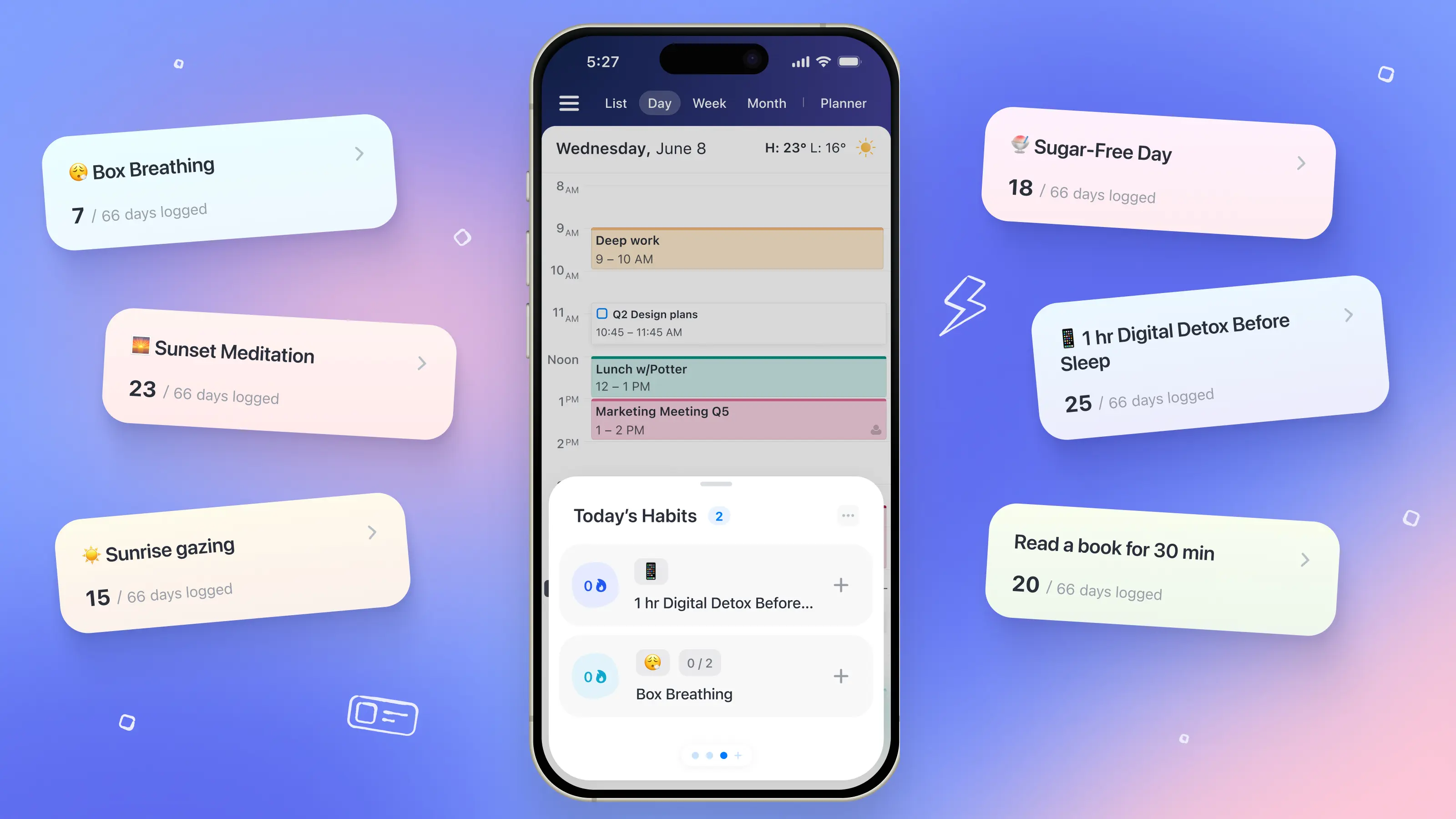
What is a habit tracker?
A habit tracker is a tool that helps you build consistency by tracking whether you complete specific behaviors over time. You choose a habit, get reminders, and mark it as done—creating visibility, motivation, and momentum through progress and streaks.
Most habit tracker apps work as standalone checklists. They’re useful, but often disconnected from your actual schedule, which makes habits easier to forget when life gets busy.
The Habit Tracker in Calendars by Readdle works differently. Your habits live directly in your calendar, right alongside your meetings and daily commitments. By scheduling time for your habits—and then tracking them—you make follow-through easier, reduce friction, and build habits that actually fit your real life.
How to use the Habit Tracker in Calendars
With the new Habit Tracker, adding habits is intentionally quick and intuitive. Here’s how to do it in the Calendars app in six simple steps.
1. Open Calendars and go to the Planner tab
Naturally, you’ll first need to make sure you’ve downloaded the Calendars by Readdle app, opened it, signed in, and connected your calendar account (e.g., Google, Outlook, iCloud).
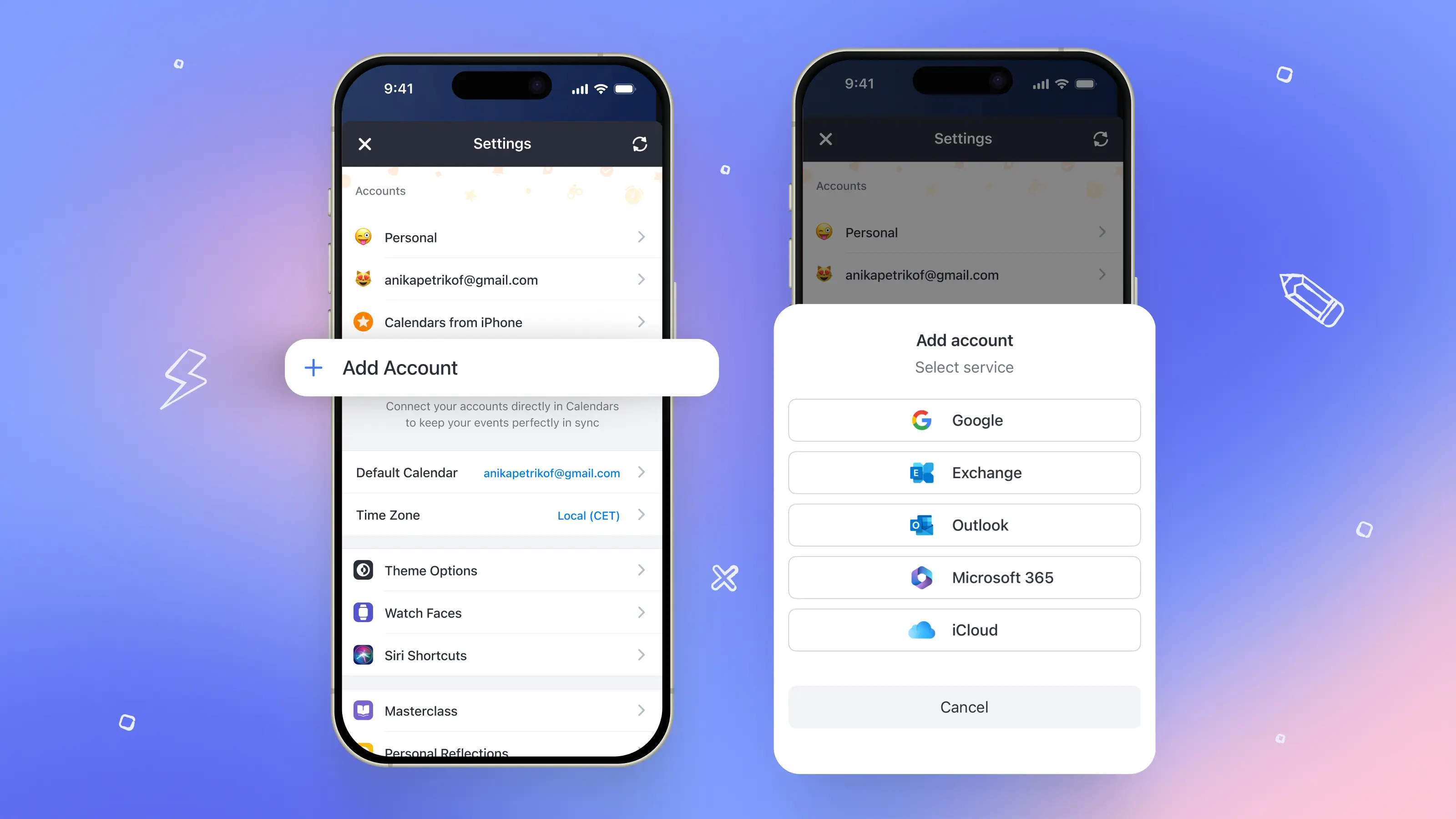
Once that’s all synced, click on the Planner tab. This is your home base for daily routines, tasks, and habits. You’ll find the Habit Tracker right inside.
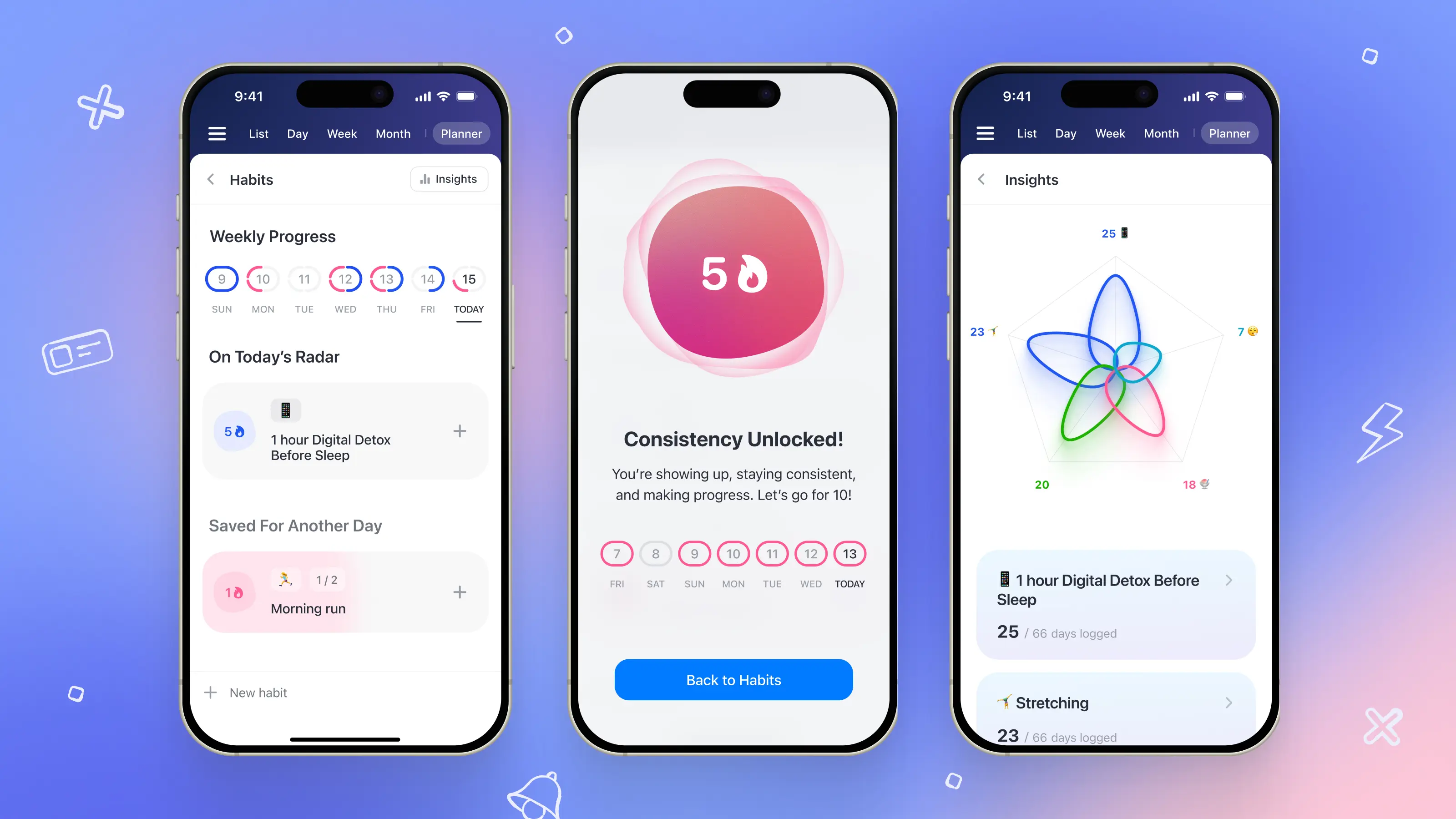
2. Tap “Habits”
This brings you into a dedicated view where all of your current habits live. Think of it as your personal habit dashboard.
3. Hit the “+” to create a new habit
You can add each habit from scratch or pick from the ready-made suggestions the Calendars app provides, such as “Meditate,” “Drink water,” “Move your body,” or “Practice a hobby.”
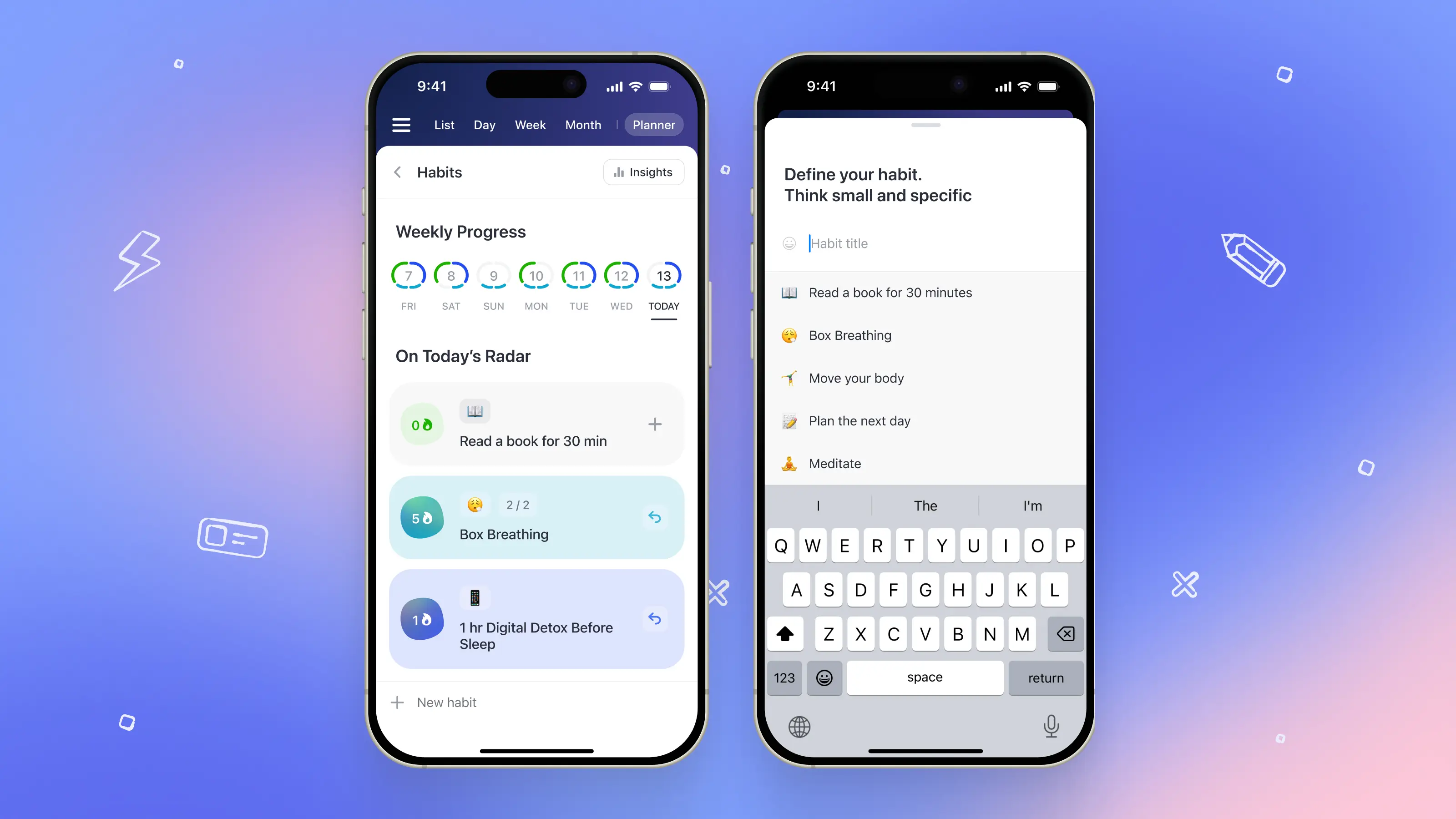
These templates are perfect if you’re not sure where to begin or need some ideas to inspire you.
4. Customize your habit
Now it’s time to customize the details. Give your new habit a name. Choose how often you want to do it (e.g., daily, weekly, specific days, custom cycles).
You can also schedule the ideal time to do it, assign it a color, and set how long it should take to complete. The more specific you can make it, the easier it will be to follow through.
5. Set habit reminders or notifications
Reminders are your secret weapon. Set one, two, or even multiple alerts so that you never miss the window you scheduled for your habit.
6. Check your progress
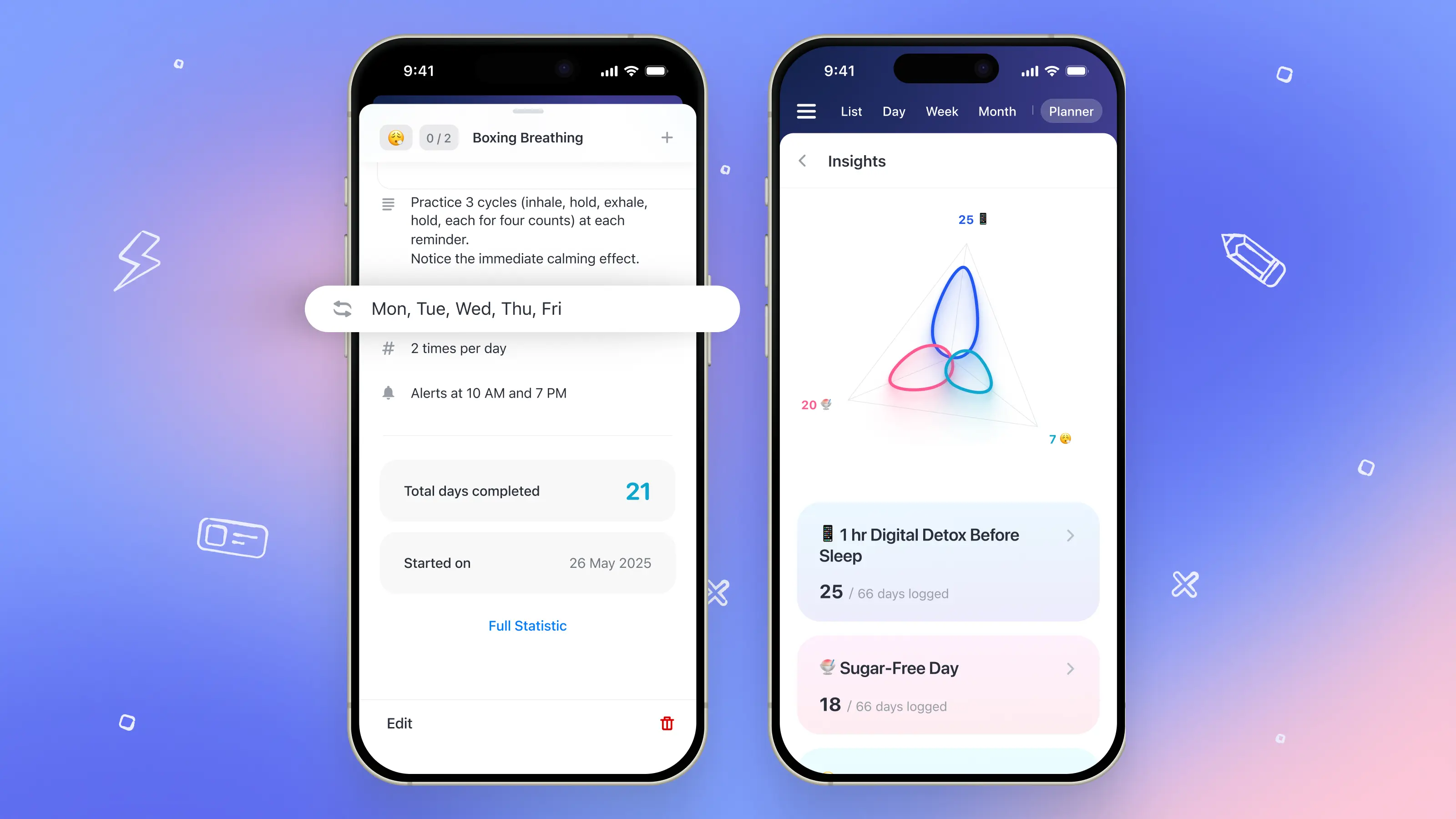
From inside your Planner tab, you can go to Habits → Insights to view your progress over time.
You’ll see a color-coded weekly progress indicator—your consistency streak at a glance.
These insights show how often you’ve completed each habit, helping you to stay motivated and make adjustments when needed.
What are the best practices for habits?
Habit tracking is both a science and an art. As you step up your habit tracking with the Calendars app, here are several expert strategies to help you get the most out of your new habits.
- Identify your daily energy rhythm and most productive periods, scheduling your new habits during the times when you naturally have the energy to consistently do them. Morning person? Put your toughest habit up front. Night owl? Save it for later.
- Break down your goal habits into more bite-sized tasks. Micro-habits, such as 10 minutes of stretching instead of a full workout, are easy to complete in 30 to 60 minute blocks and will compound massively over time.
- Be as specific and detailed as possible. Define what success looks like for each habit or micro-habit task. For example, “Read” is vague, but “Read 10 pages” is actionable and trackable.
- Start with the easiest habit to reduce friction. Small wins build early momentum. Pick a habit you can effortlessly complete for the first week.
- Make them recurring events. Use the Calendars app to repeat your habits automatically so that you don’t have to worry about remembering to keep adding them.
- Use habit stacking. Link new habits to your existing routines so that they become associated with each other, such as taking supplements right after dinner, journaling with your morning coffee, or stretching when brushing your teeth.
- Add reminders to prep the environment or set out supplies ahead of time, such as setting out running clothes the night before for your morning jog, or lighting a candle in a relaxing space for your evening meditation.
- Tie your habits to your larger goals and core values. Whether the habit is meant to improve your health, strengthen relationships, or advance your career, knowing your “why” increases intrinsic motivation.
- Add time to reward yourself for completing the habit. Celebrating progress keeps you motivated. A small reward (e.g., your favorite tea, a short walk, a quiet break) goes a long way.
- Be patient with yourself. Consistency matters more than perfection. If you miss a day, don’t get down on yourself. Reflect, adjust, and get back on track.
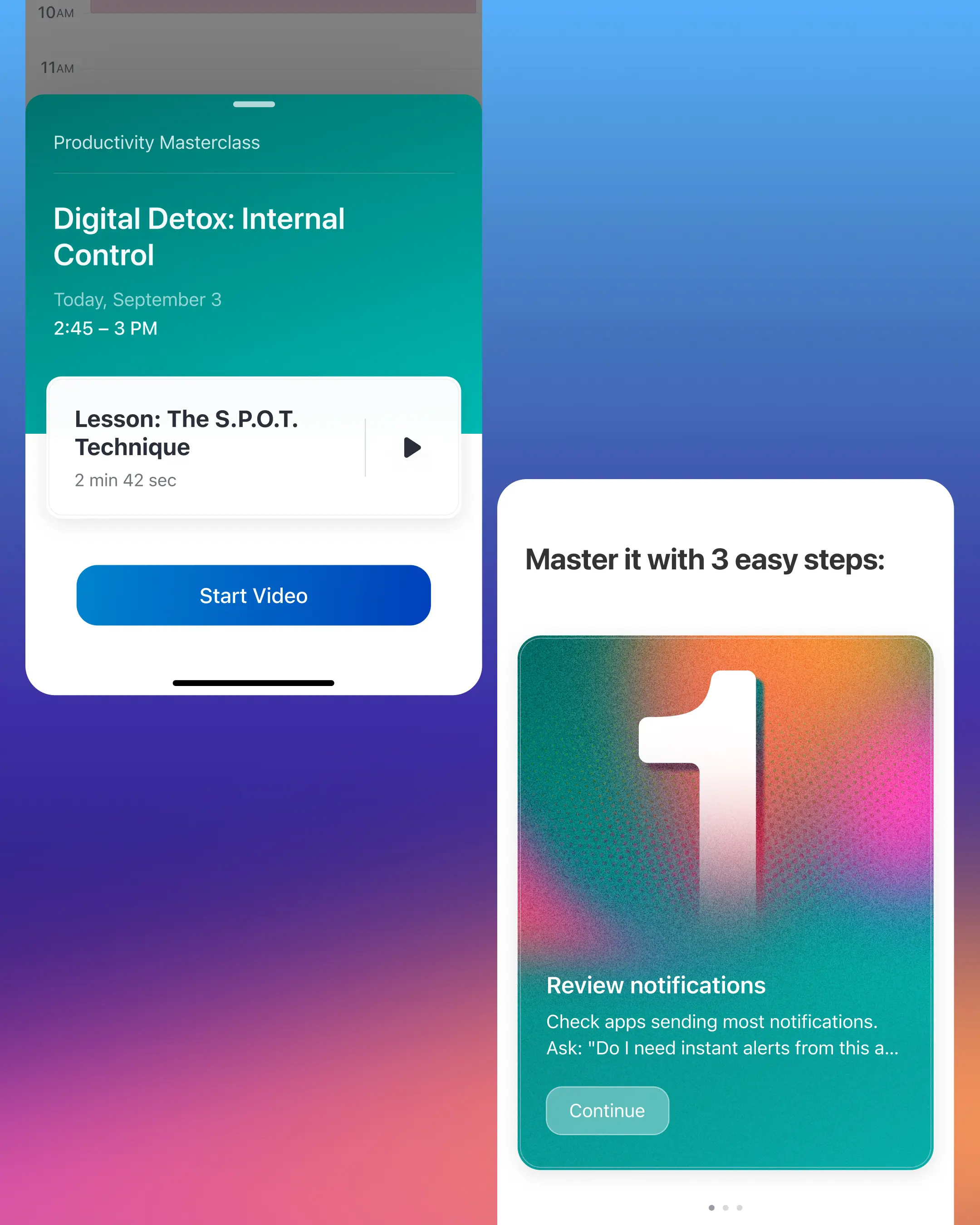
- Use it with our Mindful Productivity Masterclass. The Habit Tracker pairs beautifully with the Masterclass’ lessons on routines, energy management, and mindful planning—reinforcing each other.
How Calendars goes beyond other habit trackers
Most habit trackers help you record what happened. Calendars by Readdle helps you make habits happen.
By placing habits directly into your calendar, the Calendars app gives them dedicated time and real visibility alongside meetings, tasks, and daily commitments. Instead of relying on willpower or memory, you can see how your habits fit into your actual schedule and be prompted at just the right moment. When conflicts arise, adjusting is simple, so consistency doesn’t break down.
With recurring habits, smart reminders, and clear progress insights all in one place, the Habit Tracker in Calendars removes the friction that causes habits to fade. You’re not managing multiple apps or chasing streaks—you’re building routines that work in real life.
Remember, this Habit Tracker feature pairs nicely with our Mindful Productivity Masterclass, and can help you put what you learn into practice right away. Get the Calendars app today and start your Masterclass to learn how to harness the power of the Habit Tracker to transform your life.
