Introducing Calendars AI: A smarter way to work with your schedule
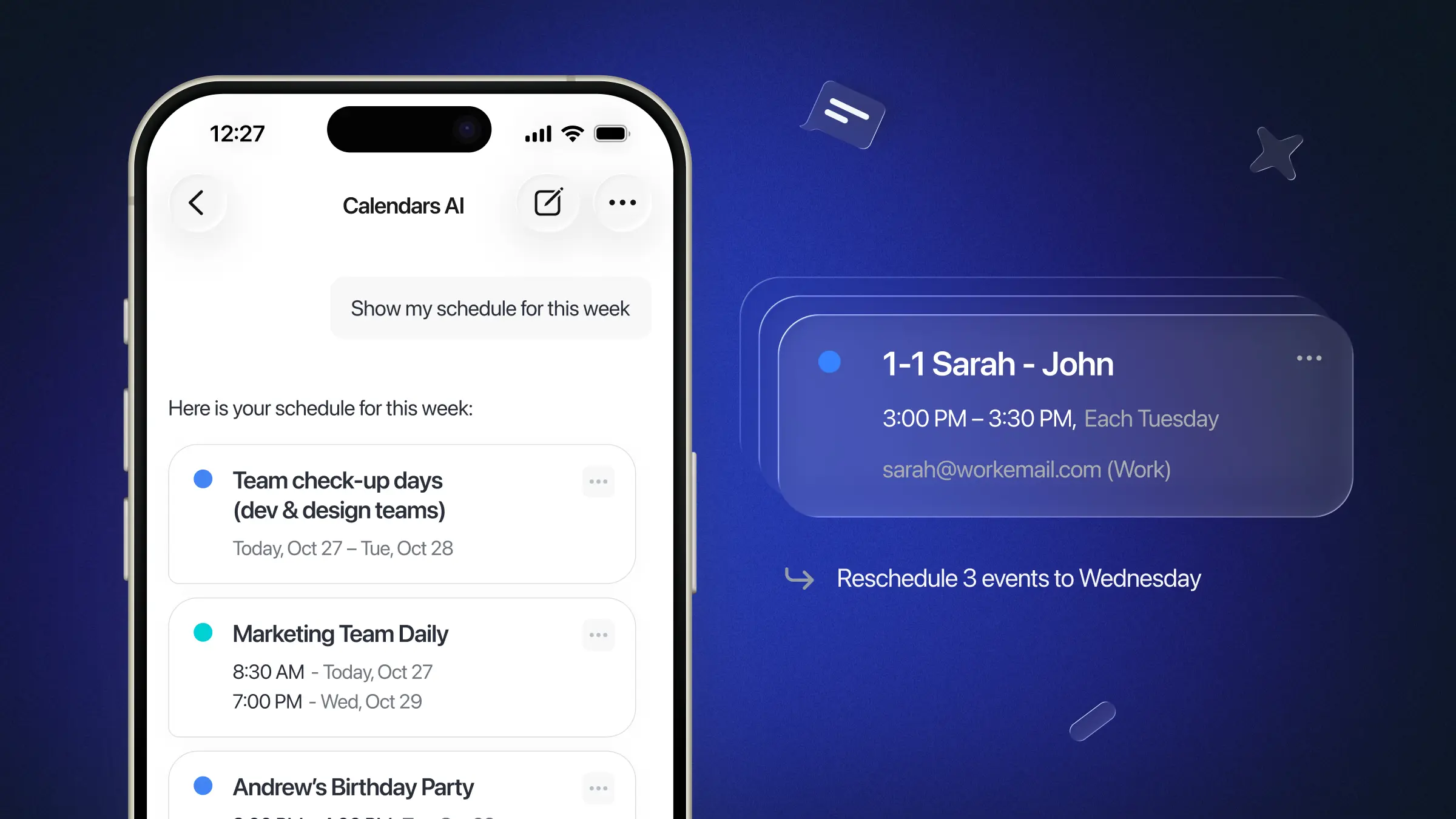
Today we're taking the first step toward a smarter Calendars: we're rolling out the soft launch of Calendars AI, an assistant built into the app that helps you manage your schedule with natural language and a set of new AI-powered views. It's the foundation for everything we build next.
What is Calendars AI?
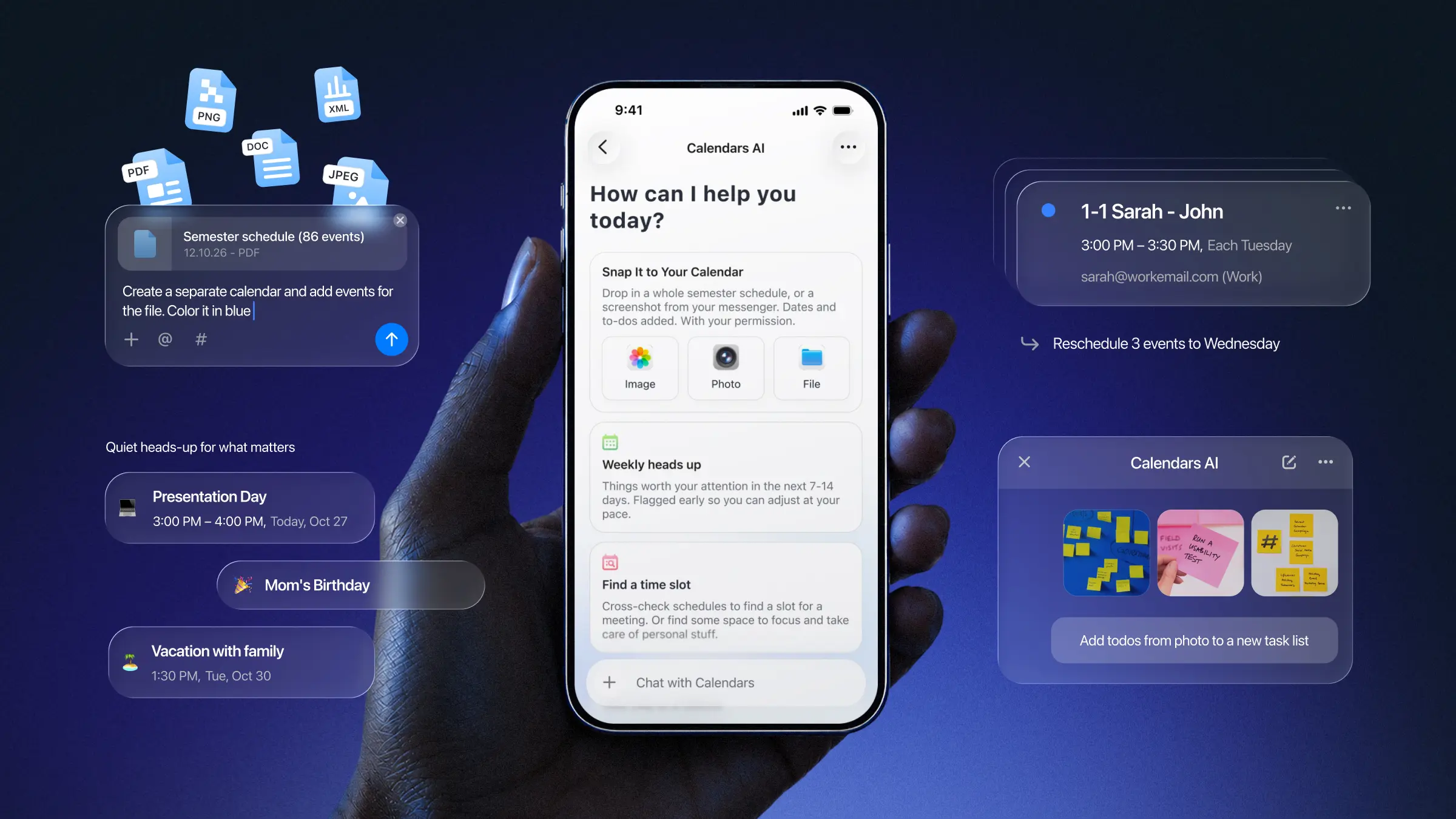
Calendars AI lives inside Calendars and helps you do three things: create and update your schedule by just describing it, turn outside information into calendar-ready drafts, and quickly understand what's ahead. It's designed to support your planning, not take it over. Every change goes through a draft you review and confirm, rather than happening automatically behind the scenes.
What you can do today
Plan with a sentence. Ask Calendars AI to create or update an event or task, and it prepares the change for your review rather than making it silently. You stay in the loop.
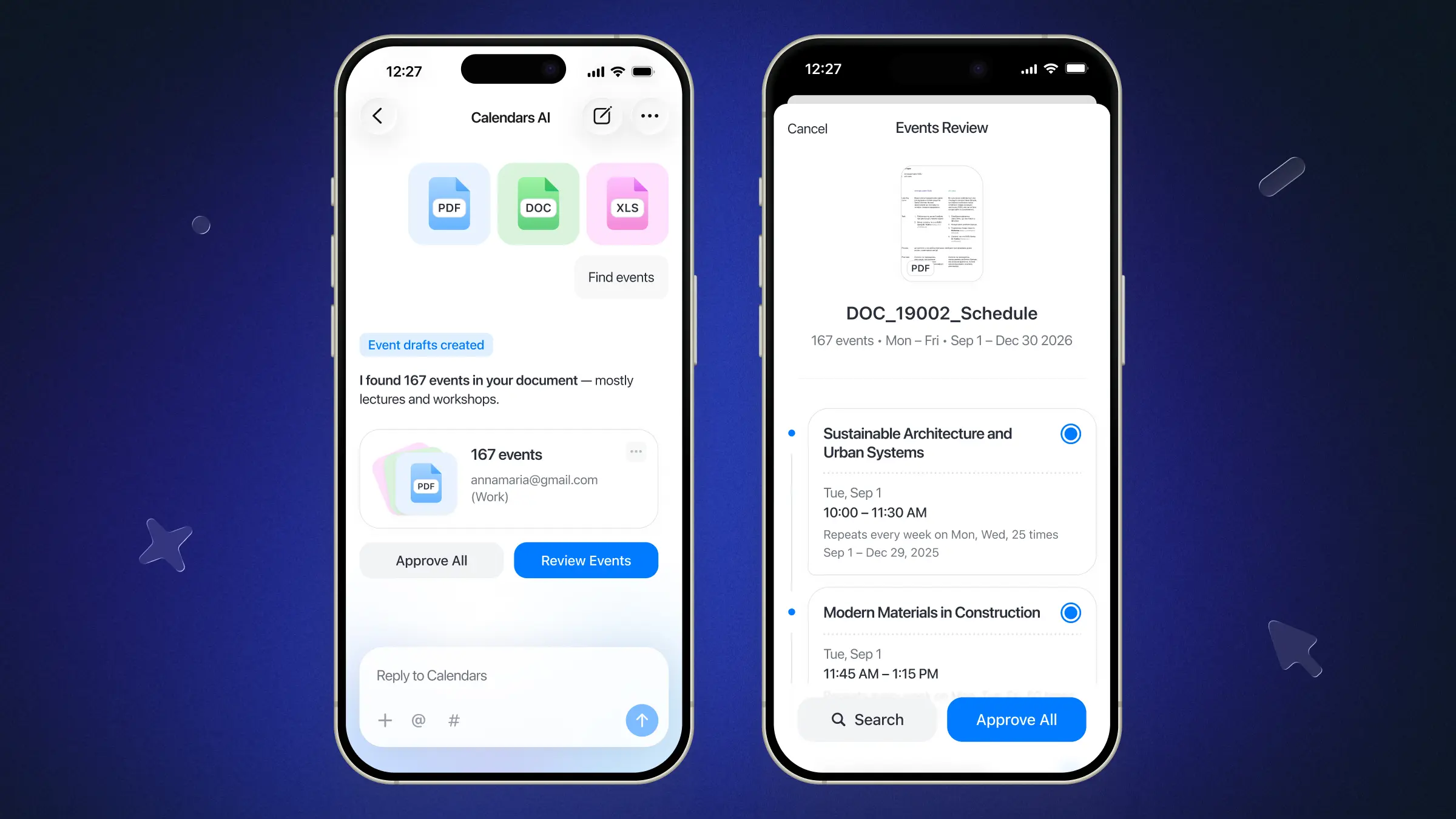
Turn a photo into a plan. This is where Calendars AI feels like magic: hand it a screenshot, photo, or file (a school timetable, a flyer, a scanned schedule) and it pulls out the dates, times, names, locations, and deadlines, then turns them into event and task drafts ready for your review.
Find the time you need. Ask Calendars AI to find a free slot, and it can look for focus time, a window to meet with someone, or space for something personal, matched against what's already on your calendar.
Ask about your day. Curious what's next, or when your next meeting is? Just ask. Calendars AI can answer questions about your schedule directly.
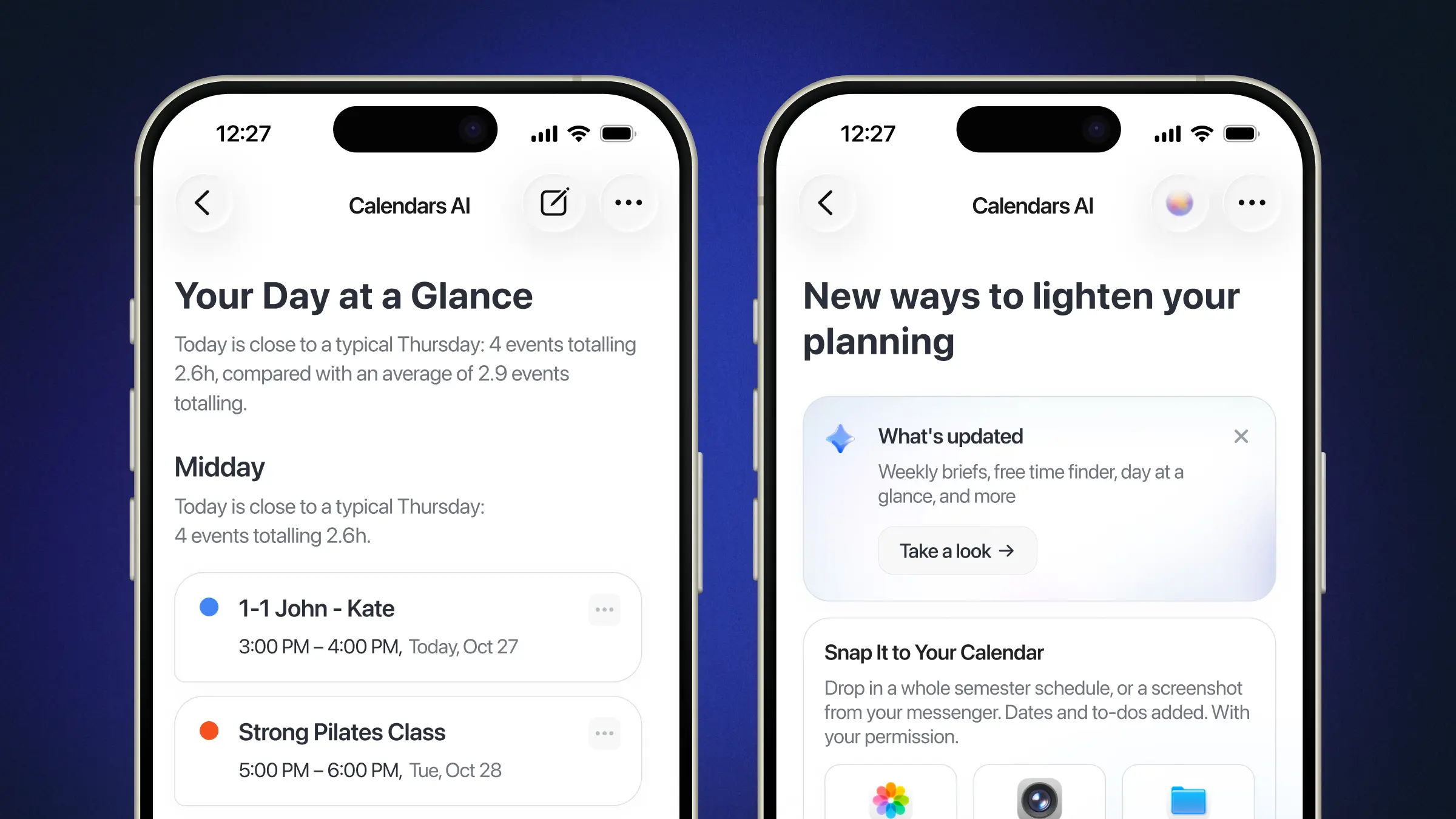
See what's ahead. Three new AI-powered experiences give you a quicker read on your time:
Weekly brief for a higher-level look at the week ahead. It surfaces special events and items requiring attention first (conflicts, deadlines, and unusual events or birthdays) so users can prepare for the upcoming week and avoid missing anything in a busy schedule.
You're always in control
Calendars AI is built to assist, not to manage your calendar on its own. It suggests, drafts, and answers. You decide what actually lands on your schedule. And if a response misses the mark, a simple thumbs up or thumbs down (with the option to tell us more) helps us improve it. Our AI isn’t trained on your data, and everything stays only on your device. You’re fully in control of your data. You can find more about how we use your data here.
Who gets it first
We're starting small: Calendars AI is rolling out to a limited group of existing users so we can learn from real-world use and continue improving the experience. If you're not in that group yet, you can request early access via the link on our website. To use Calendars AI, you'll need to be a subscriber.
What's next
This is only the starting point. We'll continue improving the experience based on your feedback, with deeper personalization and more proactive ways for Calendars to help you stay ahead of your schedule. We'll share more as these improvements are ready.
Get early access to Calendars AI