At some point, every tech person asks this question, usually right after downloading their third task management app of the year. You already have a calendar. You probably have reminders. You might even have a notes app full of half-written to-do lists. So why does it still feel like things slip through the cracks?
The internet’s default answer is predictable: you need a better task management app. Preferably the best one. The free one. The one everyone swears will “finally change how you work.” But here’s the more useful question: do you actually need a separate task app at all or is the problem how your tasks fit (or don’t fit) into your day?
Common Ways Tasks Slip Through the Cracks
Let’s get this out of the way first: not everyone needs a task management app.
If your days are simple, your workload is light, and a notebook reliably gets the job done, there’s no productivity law saying you must go digital. Plenty of people manage just fine with a pen and paper to-do list and genuinely enjoy it.
But if your brain feels like it’s holding open 27 tabs at all times, that’s usually a sign something’s off. Here are a few examples of who could benefit from a task management app.
- If you’re a busy professional, your tasks probably don’t live in one neat place. They show up in meetings, emails, Slack messages, and half-written notes. You tell yourself you’ll remember to follow-up, until the next meeting starts. A task management app helps you capture those loose ends before they disappear.
- If you’re a student, you’re likely balancing assignments, deadlines, exams, group projects, and a life outside of school. When everything is due “soon,” it’s hard to know what actually needs attention today. A task management app gives structure to those deadlines so they’re not just floating in your head.
- If you’re juggling multiple projects or roles (freelancing, running a business, or wearing several hats at work) you already know how quickly priorities can shift. What mattered yesterday might not matter today, and keeping track of that mentally gets exhausting. A task management app gives you a single place to regroup and reset when things change.
- And if you’ve ever thought, “I’m just bad at staying organized,” it’s probably not a personal flaw. Some brains don’t love holding onto details. If you forget tasks, underestimate how long things take, or feel overwhelmed by long to-do lists, a task management app can act as an external brain, so you don’t have to keep everything in yours.
In those cases, the benefit isn’t fancy features. It's a relief. You’re offloading the mental effort of remembering everything so you can focus on doing the work.
The Problem No “Best Task App” List Mentions
Ironically, one of the most common complaints is that task management apps can feel like too much work. Most tools look great at first. You set them up. You feel organized. And then… you stop opening them.
Scroll through Reddit or Quora threads about productivity apps and you’ll see the same frustrations come up again and again. Too many features. Too much setup. Too much upkeep. The app becomes one more thing to manage instead of something that helps you manage your work.
The core issue is surprisingly simple. Most task apps are good at telling you what to do, but vague about when you’ll actually do it.
A long to-do list can look productive. But without time attached to it, everything feels equally urgent. Tasks pile up, priorities blur, and eventually the list starts to feel discouraging instead of helpful. This is especially common with standalone task apps that live completely outside your calendar.
This is where calendar apps can quietly do a better job than most standalone task apps.
Calendars don’t let you pretend you have unlimited time. When tasks sit next to meetings, appointments, and real deadlines, you’re forced to plan realistically. You can immediately see whether today can actually handle one more task or whether it needs to move.
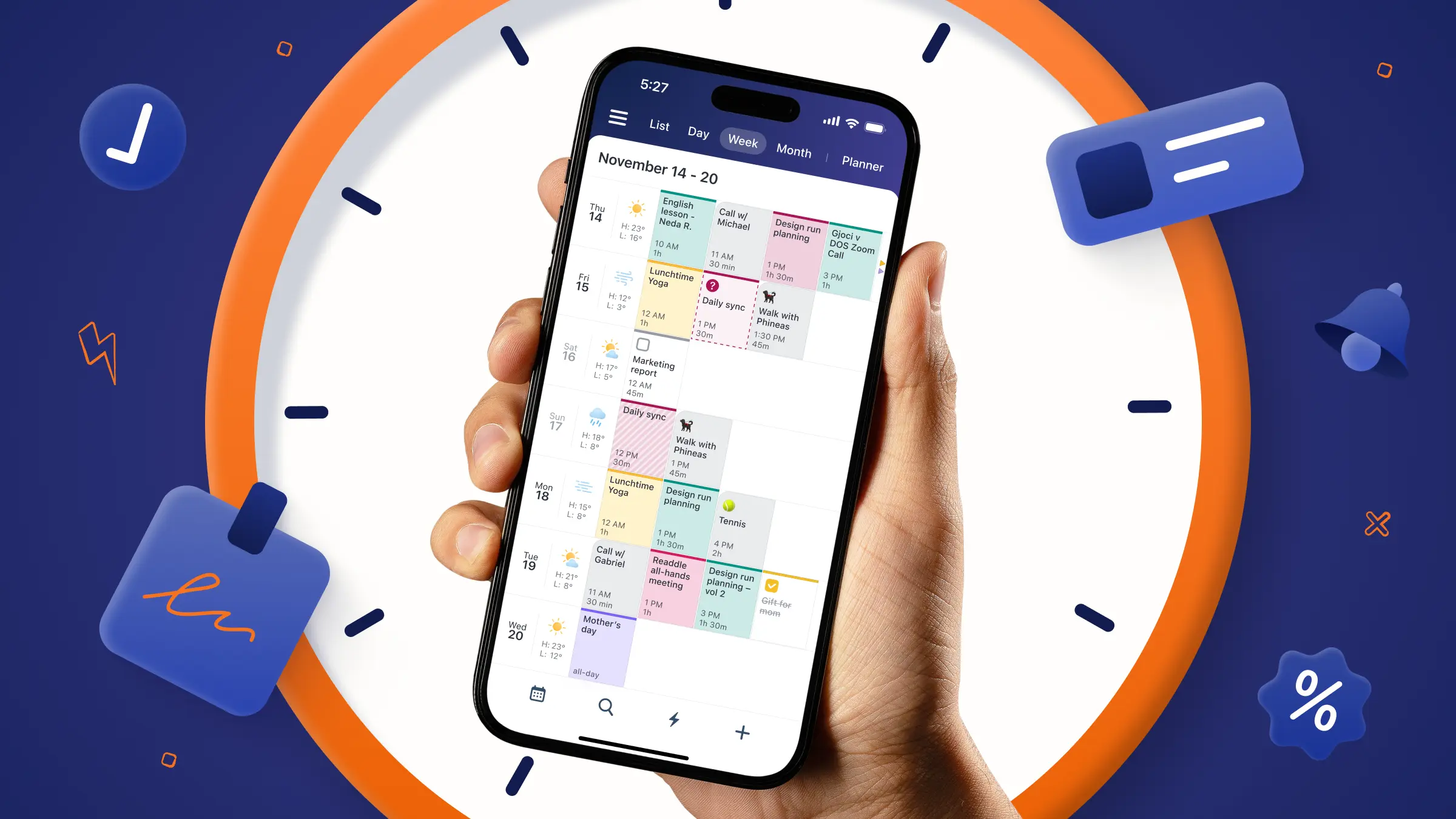
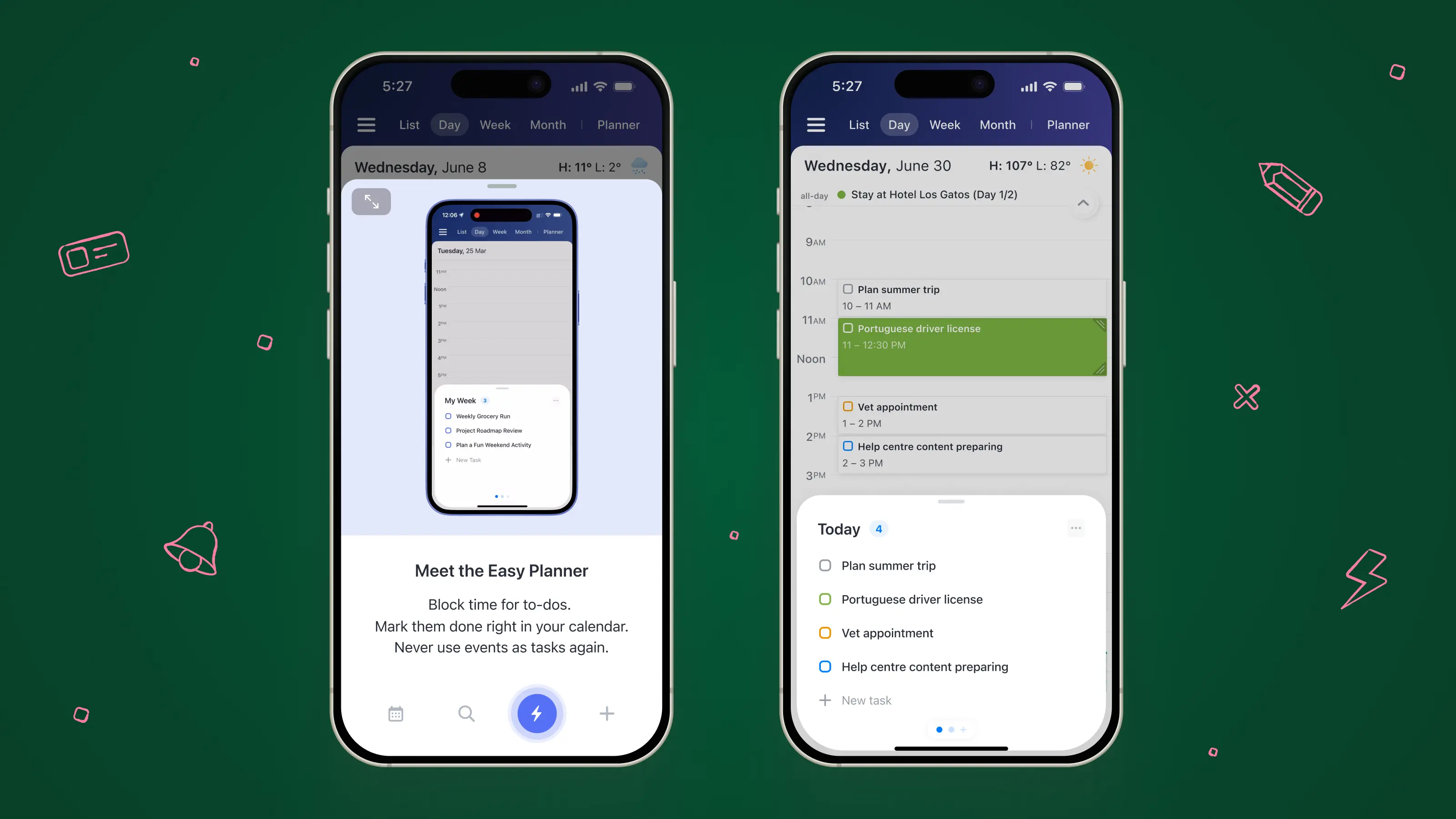
That’s the philosophy behind Calendars by Readdle. Instead of asking you to manage tasks in a separate app, it brings tasks directly into the place where you already plan your life.
Tasks, events, reminders, habits, and even mindfulness tips all live in one view. Not so you can feel busy, but so you can see what’s actually possible.
Tasks Without Time Don’t Work
So, do you really need a separate task management app? For many people, the answer is no.
What you really need isn’t another list, it’s context. You need to see what needs to get done and when it fits into your day. That’s what a calendar-based system does well.
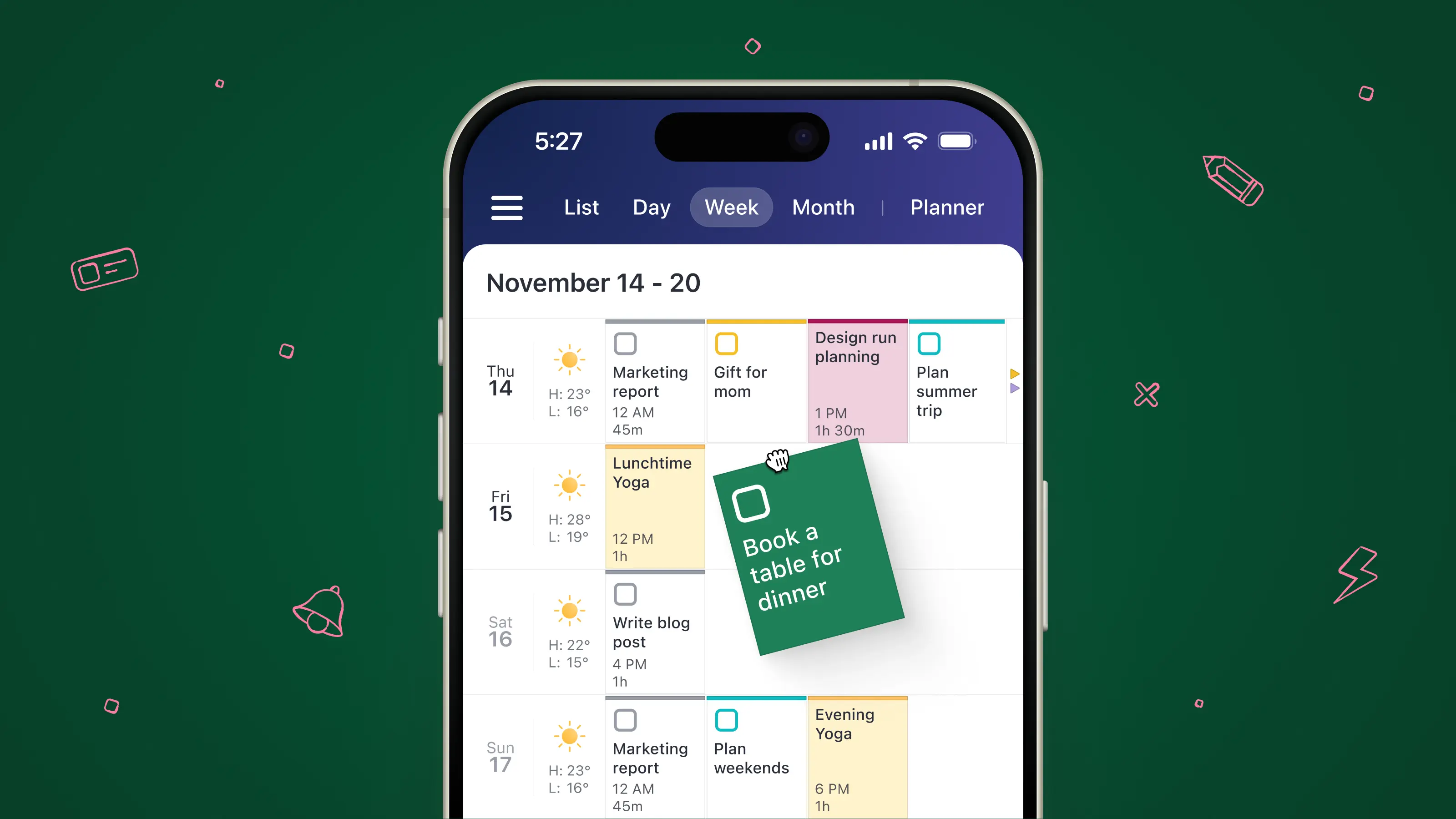
With Calendars, tasks aren’t abstract items floating outside of time. You can schedule them, set deadlines, and see them alongside meetings and commitments. That single shift—connecting tasks to time—often removes the need for a separate task management app entirely.
Test What Works For You
If you’re still unsure whether you need a separate task management app, try a simple experiment. For one week, plan everything (meetings, deadlines, and to-dos) in one place using Calendars. Schedule tasks into real time slots instead of leaving them on an open-ended list.
At the end of the week, ask yourself: do you feel more organized, or just more busy? Most people discover that fewer tools and better visibility lead to less stress and more follow-through.
Productivity isn’t about having the most apps. It’s about having the right system. And for many people, a powerful calendar that handles both time and tasks is all they actually need.