Most people don't need AI to do their jobs for them. They need AI to help them get through their work faster. That's one reason AI adoption continues to grow. According to Microsoft's 2024 Work Trend Index, 75% of global knowledge workers now use generative AI at work. From drafting documents and summarizing meetings to automating repetitive tasks, AI is helping people spend less time on busywork and more time on meaningful work.
Of course, not every AI tool delivers on its promises. Some become part of your daily workflow. Others get used once and forgotten. With thousands of options available, finding the tools that actually improve productivity can be difficult.
To help narrow the field, we've rounded up the best AI productivity tools in 2026 by category. Whether you're looking for a writing tool, meeting note taker, workflow automation platform, or design app, these are the tools worth considering.
What Are AI Productivity Tools?
AI productivity tools are applications that use artificial intelligence to help you complete specific tasks faster and with less manual effort. Unlike traditional software that requires you to perform every step yourself, AI-powered tools can generate content, analyze information, identify patterns, make recommendations, and automate portions of your workflow. Many are designed to act as assistants, helping you move through tasks more efficiently rather than starting from scratch.
Top 4 AI Productivity Tools For Work
If you're new to AI productivity tools, you don't need to overhaul your entire workflow. Some of the most effective AI tools are built into activities you're already doing every day. These four tools can help you save time immediately without requiring a major change to how you work.
1. PDF Copilot: Best for Working With Documents
Reading through lengthy PDFs can be one of the most time-consuming parts of the workday. Whether you're reviewing research reports, contracts, client proposals, training materials, policy documents, or meeting notes, finding the information you need often means scrolling through dozens of pages.
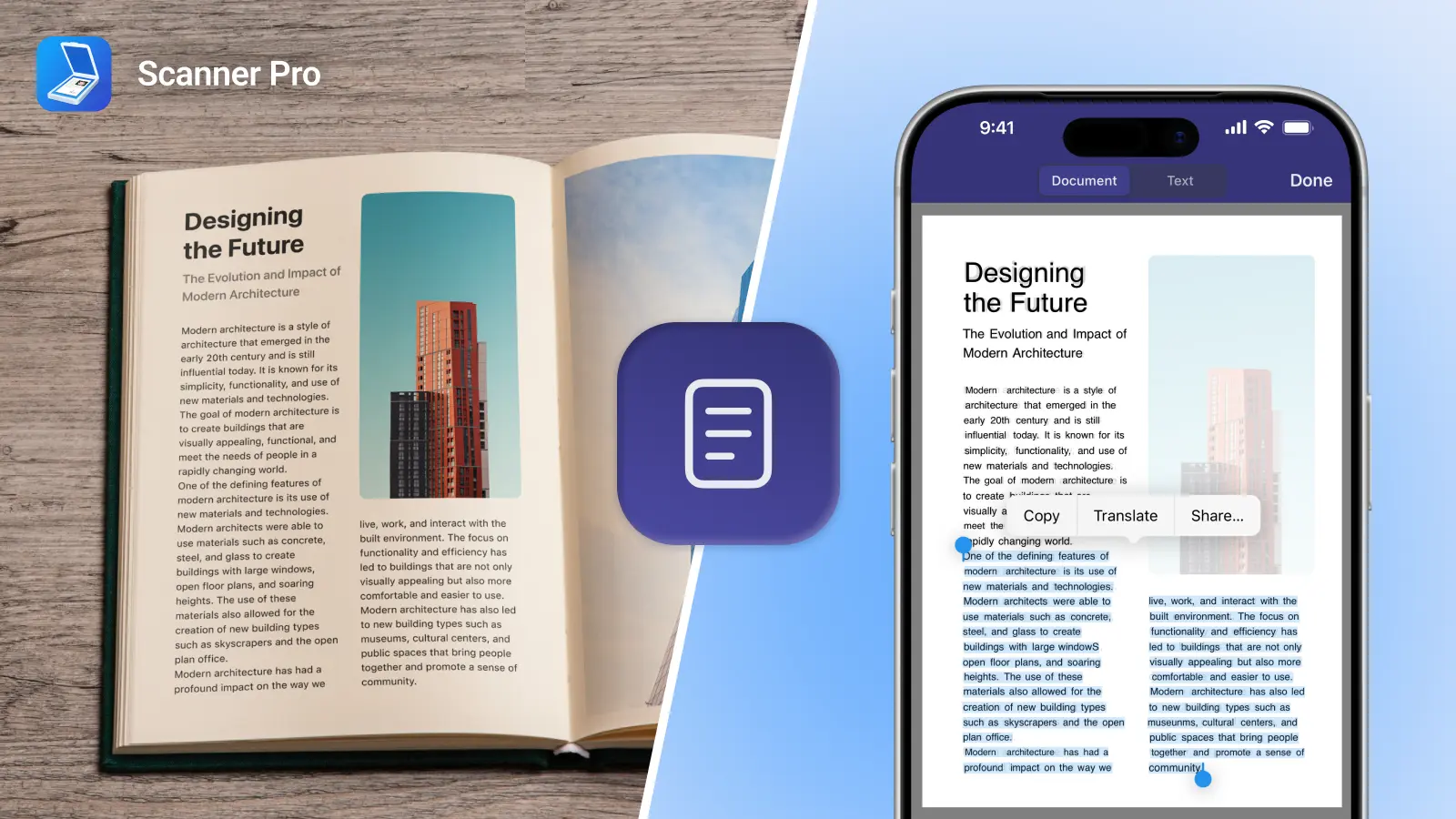
PDF Copilot uses conversational AI to help you interact with PDFs more naturally. Instead of manually searching for information, you can ask questions about a document and receive answers based on its contents. You can also generate summaries, identify key takeaways, explain complex sections, and quickly locate specific information within a file.
For example, a consultant could ask for the main recommendations in a 50-page client report. An HR professional could quickly review an employee handbook for policy information. A student could summarize a research paper before an exam. Rather than reading every page line by line, PDF Copilot helps you get to the information you need faster.
Key features include:
- AI-powered document summaries.
- Natural language questions and answers.
- Extraction of key insights and action items.
- Translation and conversion in 80+ languages.
- Quick navigation through large PDFs.
2. Spark +AI: Best for Managing Email + Meetings
Email is still one of the biggest time drains at work. Not just writing messages, but keeping up with conversations, responding quickly, and staying organized across threads.
Spark +AI is designed to help you move through email faster and with less friction. It can draft emails from scratch, rewrite messages based on tone, shorten long responses, and turn rough ideas into polished communication. Instead of starting with a blank page, you can generate a first draft in seconds and refine it from there.
It also helps you turn real conversations into reusable email templates, making it easier to standardize replies for common scenarios like client follow-ups, internal updates, or recurring requests.
One of the most useful features is meeting notes, which expands Spark beyond email. It can transcribe meetings, summarize key points, and extract important takeaways so you don’t have to take notes or rely on memory. The key benefit is that it works without bots joining your calls and integrates with any meeting platform, so it doesn’t interrupt the flow of your meetings.
Key features include:
- AI-generated email drafts.
- Email rewriting and tone adjustment.
- +AI Meeting Notes for transcription and summaries.
- Works with any meeting platform (no bot required).
- Creation of reusable email templates from real conversations.
3. Slack AI: Best for Team Communication
If your work happens inside Slack, Slack AI is designed to help you keep up with fast-moving conversations, surface important information, and reduce the time spent digging through channels. Instead of reading every message, you can use AI to summarize what you missed, extract key decisions, and quickly catch up on ongoing projects.
Beyond summaries, Slack has been expanding into more advanced AI features through Slackbot, its built-in AI assistant. Slackbot works like a conversational teammate inside Slack. You can ask it questions about your workspace, pull information from channels, and even get help drafting content or understanding ongoing work without switching tools or leaving Slack.
Key features include:
- AI-powered channel and thread summaries.
- Smart search across messages, files, and conversations.
- Slackbot AI assistant for Q&A and workspace insights.
- Drafting support for messages and updates.
- Workflow Builder with AI-powered automation.
4. Grammarly: Best for Everyday Writing Across Work Tools
Grammarly works wherever you work, so you don’t have to copy and paste between apps or switch tools to improve your writing. It provides a consistent writing layer across more than a million apps and websites, helping you write clearly in the places you already use every day. That includes tools like Gmail, Outlook, Excel, Work, Slack, LinkedIn, Salesforce, and more. Instead of acting as a separate writing app, Grammarly works in the background to improve clarity, tone, and correctness as you type.
It also supports multilingual writing in more than 25 languages. You can get real-time suggestions, in-line translations, and paragraph-level rewrites, which is especially useful for global teams or cross-border communication.More recently, Grammarly has also introduced more proactive AI assistance. Rather than waiting for you to prompt it, it can surface suggestions based on context, helping you complete messages faster.
It can even act like a lightweight “memory layer” for your communication. For example, before a meeting or conversation, it can surface relevant context from past messages, reminders, or ongoing threads so you don’t have to dig through history manually.
Key features include:
- Writing support across 1M+ apps and websites.
- Real-time grammar, tone, and clarity improvements.
- Works inside Gmail, Docs, Slack, LinkedIn, and more.
- Multilingual writing support in 25+ languages.
- Helps surface relevant past communication and context.
Final Thoughts
There are thousands of AI tools available right now, but only a small number will actually stick in your daily workflow. The ones that do tend to share a simple trait: they reduce effort inside tools you already use every day. That’s why the best way to approach AI productivity isn’t to chase trends, but to focus on friction. Where are you spending too much time reading, writing, or searching? That’s where AI can help most.
Get Started With Readdle AI Tools
Ready to try it out?
Try PDF Copilot and start interacting with your documents instead of reading them line by line or download Spark +AI to write emails faster, summarize conversations, and stay on top of meetings.