Calendars on iPhone Duo: more room to see your week
Calendars is ready for iPhone Duo. Calendars has always been about making time easier to see and manage. iPhone Duo gives us an exciting opportunity to rethink how that experience adapts to the moment: from a quick glance at today's schedule to a more expansive view of your entire week, month, or even year ahead.
Folded, Calendars is the compact app you already know. Unfolded, it opens up into a layout built for the larger display. Our goal is simple: planning should feel intuitive and seamless, no matter how you use your iPhone.
A new shape for iPhone
iPhone Duo is Apple's first foldable iPhone. It opens like a book. Closed, it's roughly the size of a passport, with a 5.4-inch outer screen. Open, it has a 7.6-inch inner display, the largest Apple has ever put on an iPhone.
Apple has also adapted iOS 27 for the new shape. When the phone is open, the dock runs vertically down the right side, and you can split the screen between two apps. iPhone Duo goes on sale on October 23.
For a calendar, the extra space matters more than you might expect. A phone screen comfortably fits about one day. A 7.6-inch display has room for your whole week.
Bringing Calendars to iPhone Duo
The opportunity with iPhone Duo isn't simply to fit more content onto a larger screen.
It's to make different ways of viewing and managing time feel natural on the same device. Whether you're checking your next event, looking across a full week, or adjusting upcoming plans, Calendars is designed to make planning feel intuitive, no matter which device you use it on.
Week View: your whole week, unfolded
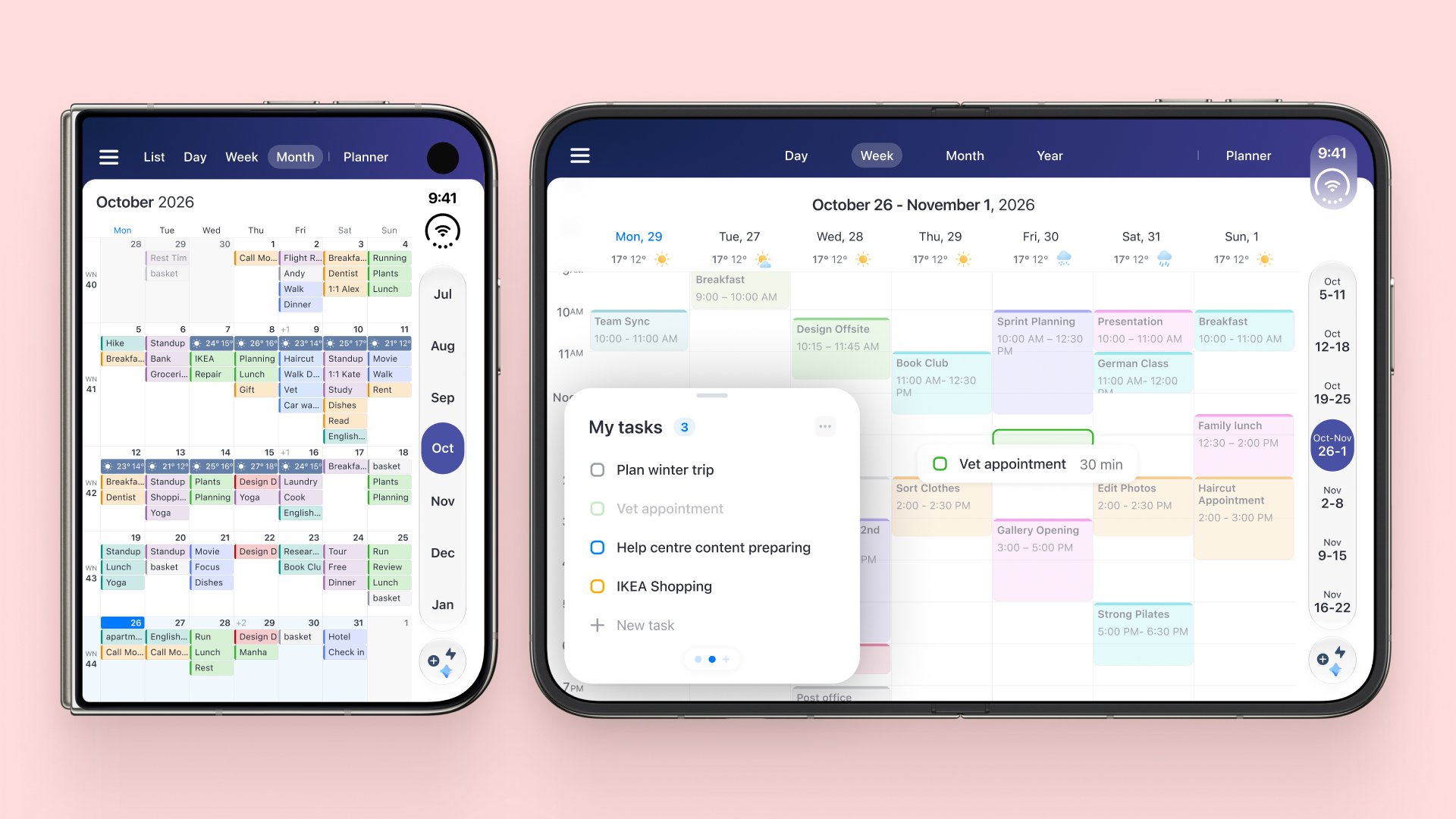
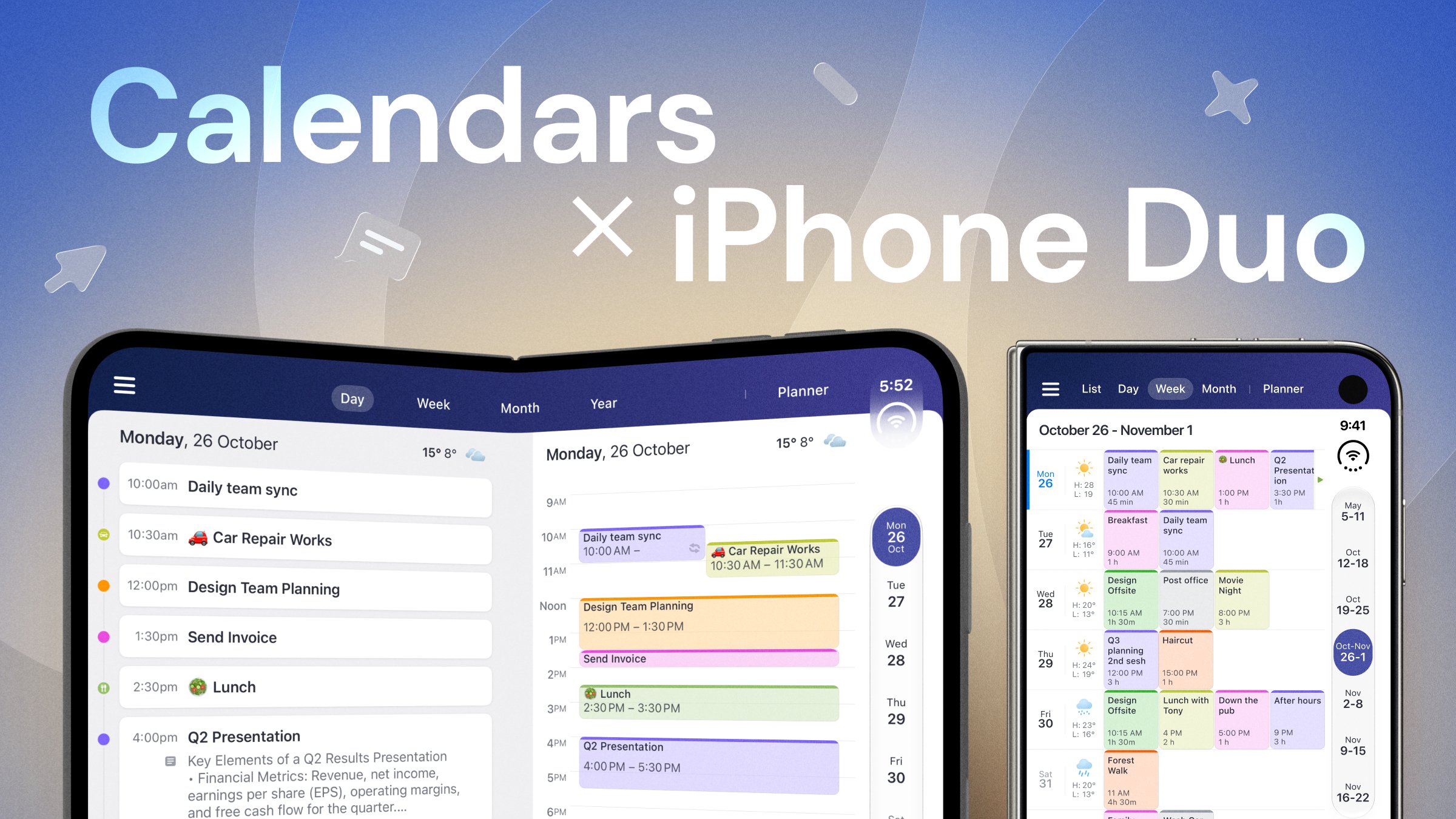
Unfold iPhone Duo, and your week opens up with it. The expanded screen gives Calendars room to display your days side by side, bringing more of your schedule together in a single, spacious view.
See how events fit across the week, get a clearer picture of what's ahead, and spot available time between plans, without jumping between individual days.
Month View: the bigger picture, all at once
With iPhone Duo's expanded display, Month View brings more of your calendar into focus, showing events across the month in a spacious layout. From packed days to open dates, see how your plans are spread throughout the month and get a fuller picture of what's coming up, all in one view.
Day & Week List: your agenda and schedule, the perfect duo
The expanded screen brings your event list and calendar timeline together, so you can see upcoming commitments alongside the hours of your day. Scan what's next, see where events fit into your schedule, and spot available time between them, with both views visible at once.
Key content and controls stay clear of the fold, so nothing important ends up in the middle of the screen.
Quick Scheduler: move plans, not mountains
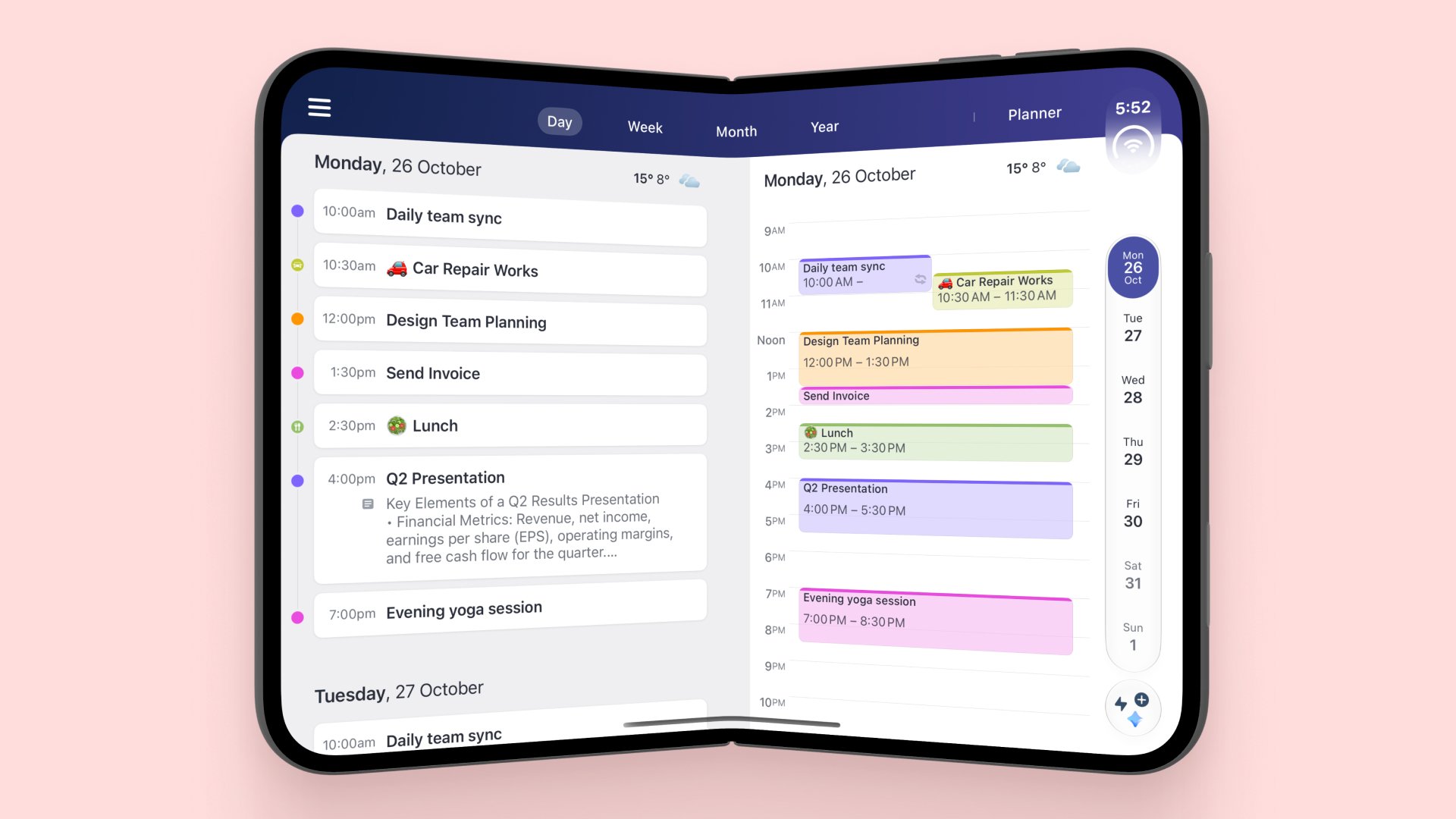
Plans change, and Calendars makes it easy to adjust. Quick Scheduler puts your to-dos alongside your events and lets you move events and rearrange your schedule directly in the calendar. You can organize upcoming plans around what's already on your agenda.
Sidebar: your calendar, within easy reach
The expanded layout makes room for a sidebar alongside your calendar, so you can quickly switch between life contexts while your schedule stays in view.
We also moved key navigation and buttons so they stay comfortable to reach, now that the dock sits on the side.
Year View: a whole year in perspective
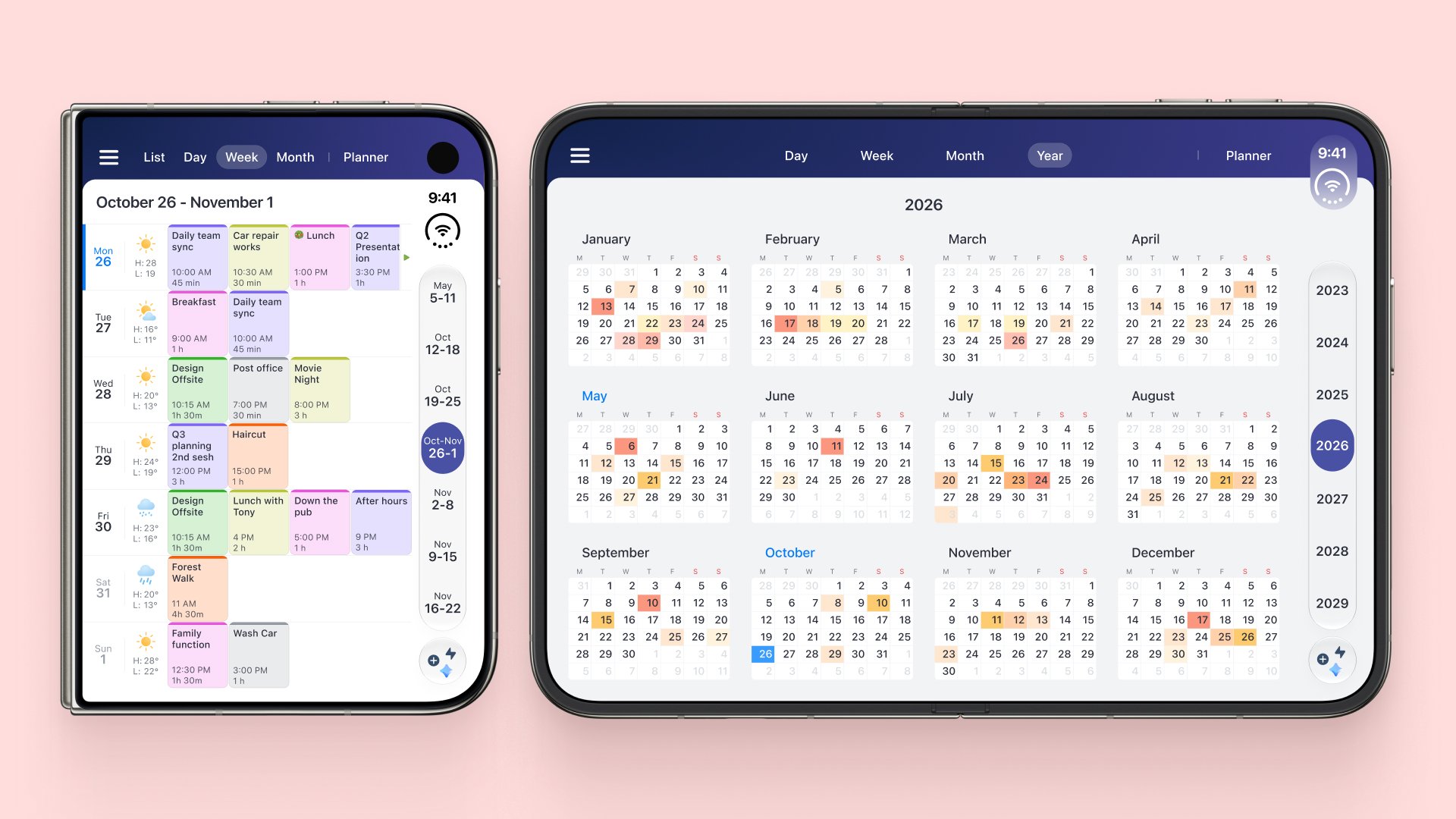
Look beyond individual days and weeks with Year View. See your calendar on a yearly scale, with a broader overview of the months ahead.
Side by side with your other apps
Calendars runs side by side with another app. You can check your schedule while you reply to an email or read a document, and Calendars stays usable even at narrow widths.
Folded: the Calendars you already know
When iPhone Duo is folded, Calendars uses its familiar compact interface. It's built for quick checks: what's next, when your next meeting starts, and whether Thursday is still free.
You get different ways to work with your schedule depending on how you're holding and using your device. Folded is for a quick glance, and unfolded is for proper planning.
Fold or unfold mid-task
Calendars keeps your place when you fold or unfold iPhone Duo. Your selected date, scroll position, open event or edit screen, and unsaved drafts all stay right where you left them.
The layout switches instantly between the compact folded view and the expanded unfolded view, even while the app is open.
A day with Calendars on iPhone Duo
Picture a typical day. In the morning, a quick look at the folded screen tells you when your first meeting starts. On the train, you unfold iPhone Duo and open Week View to see where Thursday's deadline falls and which afternoon is still free.
At lunch, Month View shows you whether the trip in three weeks clashes with anything. Between meetings, you fold the phone again and check what's next.
None of this needs a laptop or a tablet. It all happens on the device you already carry, and Calendars changes its layout to match how you're using it.
Planning that grows with your screen
A calendar is easier to manage when you can actually see it. On iPhone Duo, Calendars gives your week the space it deserves: unfold it when you need the bigger picture, and fold it when you just need what's next. Get Calendars for iPhone Duo.