For someone with ADHD, “just use a planner” is often easier said than done. Traditional scheduling systems usually rely on sustained focus, working memory, and time awareness, which are all things ADHD can directly affect.
Research on visual activity schedules for children with ADHD found that visual systems improved task engagement by making information easier to process. While the research focused on children, many of the same ADHD challenges continue into adulthood. Which honestly makes sense if you’ve ever opened a planner, stared at a giant wall of text, and immediately wanted to avoid all of it. For many ADHD adults, visual schedules feel easier to follow.
What Is a Visual Schedule?
A visual schedule is a planning system that uses visual cues instead of long lists to help you organize your routines. For many adults with ADHD, traditional planners and endless to-do lists can quickly become overwhelming. Rather than relying on memory alone, visual schedules make information easier to see throughout the day.
An ADHD schedule can be as simple or detailed as you need it to be. Some people prefer fully digital systems, while others work better with physical planners or wall charts.
Visual schedules for ADHD can include:
- Color-coded calendars
- Daily routine charts
- Visual timers
- Weekly planning boards
- Visual checklists
- Sticky note systems
- Medication or habit trackers
Why Visual Schedules Work for ADHD Brains
Visual schedules can be especially effective for ADHD because they reduce the amount of mental processing required to start tasks. Many ADHD adults experience executive dysfunction where even simple tasks can feel mentally exhausting because the brain has to constantly hold information, estimate time, and decide what to focus on next.
According to psychologist and Calendars user, Anat Gheiler, traditional text-heavy systems can quickly become overwhelming for ADHD brains because they require sustained focus and processing.
“Many people with ADHD have difficulty staying focused while reading. Since reading requires a lot of energy to concentrate, seeing a list can be distracting because instead of seeing a list of information, they see many sentences after another leading to rapid demotivation. Looking at a page full of information is much more confusing for someone with ADHD than having less information on a page.”
This is one reason many ADHD adults struggle with long to-do lists or dense planners. Instead of seeing clear priorities, the brain may interpret everything as equally urgent, creating mental clutter and decision paralysis.
How to Create a Custom ADHD Visual Schedule
1. Start With 3–5 Anchor Tasks First
One of the most common ADHD scheduling mistakes is trying to organize your entire life in one sitting. It often starts with good intentions like creating the perfect planner and mapping out every hour of the week, but this often leads to the “setup trap," where perfectionism turns planning into another form of procrastination. Like Gheiler mentions, “Spending too much time striving for a perfect result leads you to lose sight of the ultimate goal: being more effective for yourself and for the people around you.”
Instead of building a fully optimized schedule immediately, start with just a few consistent “anchor tasks.” These are recurring parts of your day that create structure and help orient you in time.
For example:
- Wake-up time
- Medication reminders
- Work start time
- Lunch breaks
- Bedtime
These anchors are not meant to be your entire schedule. Think of them as the foundation that helps stabilize the rest of your day. Once those recurring routines start feeling easier to follow consistently, you can gradually layer in additional tasks like focused work sessions, errands, workouts, cleaning routines, appointments, and more. If maintaining your schedule starts feeling mentally exhausting, you’ve probably added too much too quickly. The key is adding structure slowly enough that the system still feels manageable.
Instead of asking, “What would make this schedule perfect?” try asking:
- What part of my day currently feels the most chaotic?
- What task do I forget most often?
- What transition consistently throws me off track?
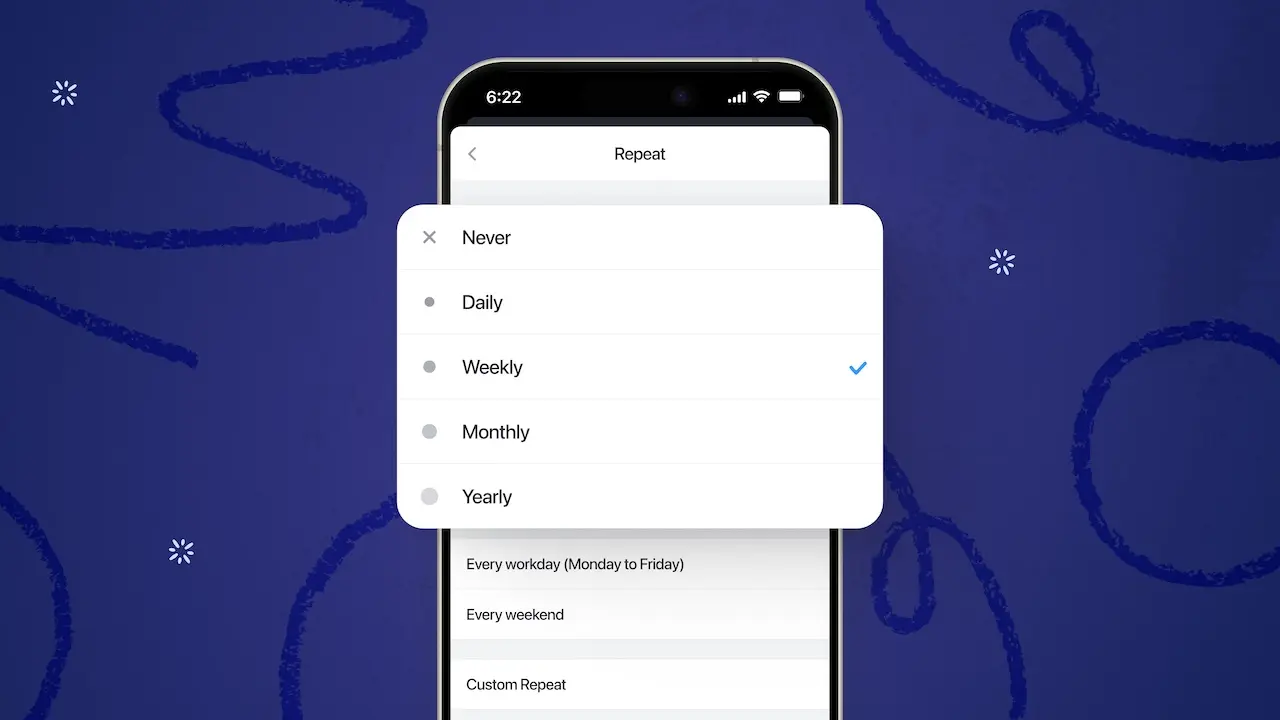
Using recurring events in Calendars by Readdle can make this process easier because your anchor routines automatically reappear each day or week. Once your anchor tasks begin feeling automatic or easier to manage for a week or two, you can gradually add more time blocks and responsibilities without rebuilding your schedule from scratch every time.
2. Use Color Intentionally
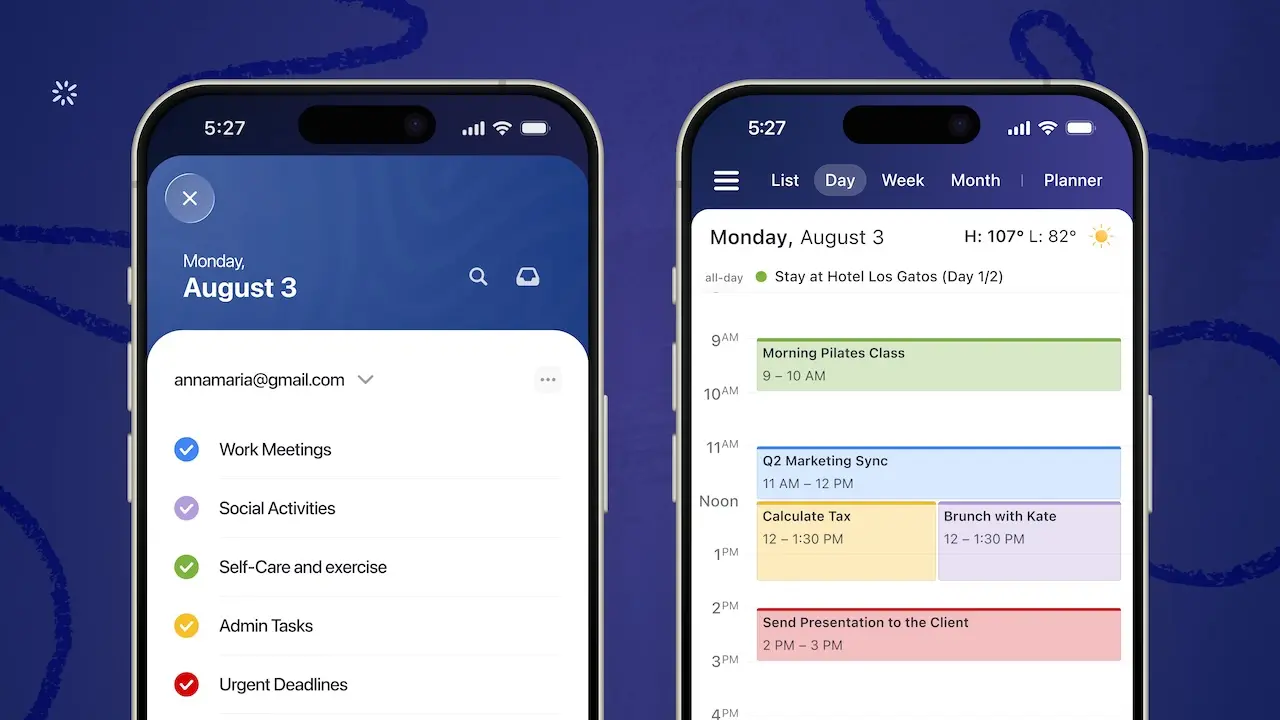
Color coding is one of the most helpful visuals because it allows the brain to process information faster without reading every detail. Instead of seeing a long list of tasks, your brain begins recognizing patterns visually.
For example:
- Blue = meetings
- Green = self-care or exercise
- Red = urgent deadlines
- Yellow = admin tasks
- Purple = social activities
This type of visual separation makes priorities easier to identify at a glance. However, too many colors can become distracting and difficult to maintain. Choose a few categories that genuinely help you distinguish between different types of energy, urgency, or routines.
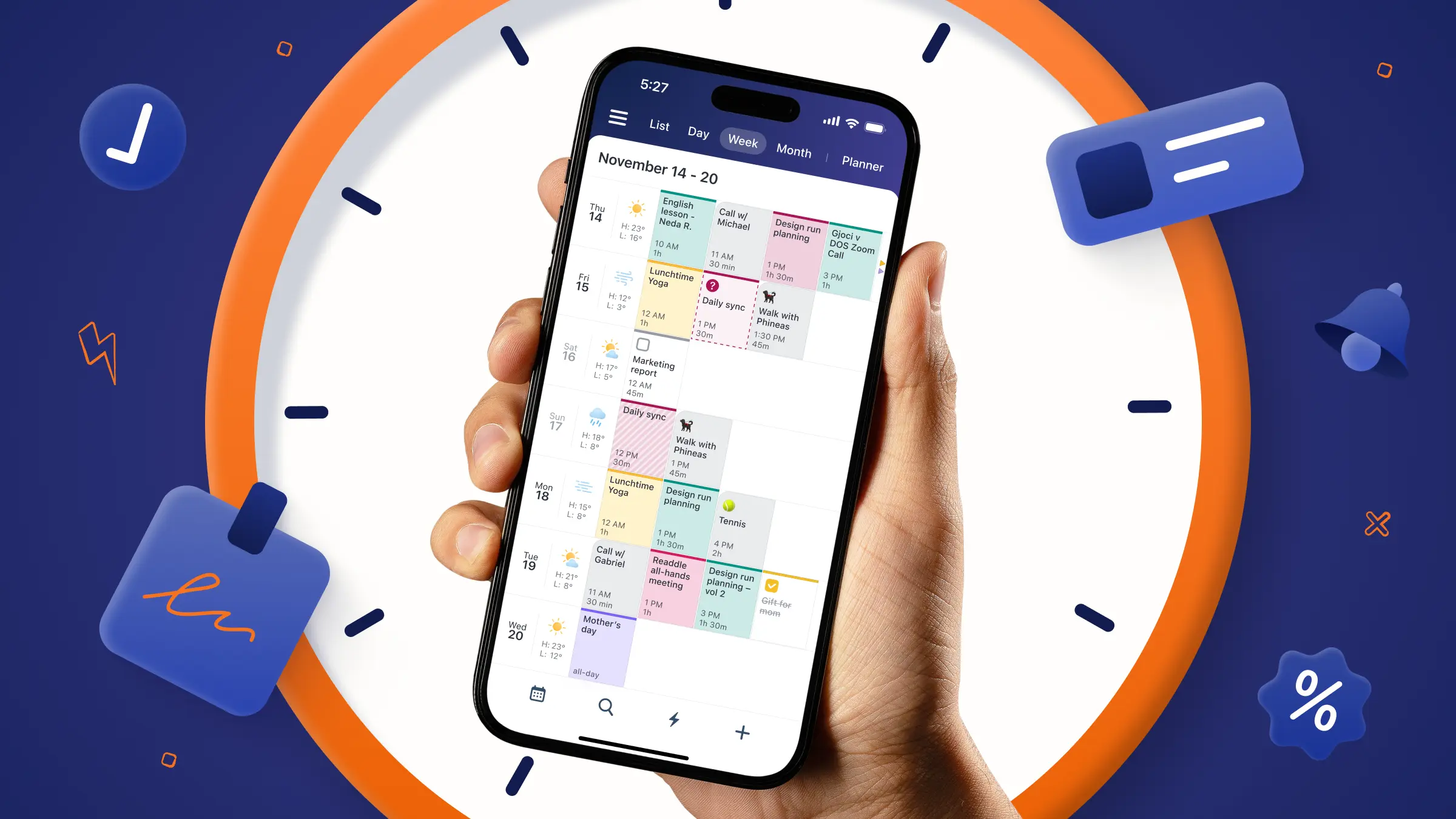
In Calendars by Readdle, you can create separate color-coded calendars for different areas of your life, making it easier to visually separate work tasks and personal routines in a single weekly view.
3. Make Time Visible
Many ADHD adults struggle with time blindness, which makes time feel abstract or difficult to track internally. This is why tasks can unexpectedly take hours or why transitions between activities feel difficult. Visual scheduling works best when it makes time physically visible.
Strategies that can help include time blocking, countdown timers, or visual progress bars.

An ADHD visual timer can be especially useful because it externalizes time instead of forcing you to mentally estimate it. Seeing time pass visually can improve focus, reduce hyperfocus spirals, and make it easier to transition between activities.
It’s also important to build in buffer time. ADHD brains often underestimate how long tasks take, so back-to-back scheduling can quickly create stress and discouragement.
4. Reduce Friction Wherever Possible
The easier your schedule is to update, the more sustainable it becomes. Look for tools and systems that reduce manual effort, such as:
- Recurring templates
- Automated reminders
- Voice input
Small reductions in friction matter because executive dysfunction often makes task initiation harder when too many steps are involved. Features like drag-and-drop scheduling, recurring events, widgets, and customizable notifications in Calendars by Readdle can help reduce the number of decisions and manual setup steps required to stay organized day to day.
5. Build Flexibility Into the System
One of the most important parts of an ADHD schedule is making room for disruption. A rigid schedule that breaks after one interruption often becomes impossible to restart. This is why many ADHD adults abandon planners entirely after missing a few tasks or falling behind for a day. Instead of treating your schedule like a strict rulebook, think of it as a flexible support system.
According to Anat Gheiler, balance is essential when building ADHD-friendly routines. Structure can be helpful, but it needs to leave room for changing energy levels, unexpected interruptions, and real life. That might mean leaving open blocks in your schedule, moving unfinished tasks instead of deleting them, and using lighter routines on low-energy days.
With Calendars by Readdle, tasks and events can easily be rearranged when plans change, which can help reduce the all-or-nothing thinking that often causes ADHD adults to abandon scheduling systems entirely after a disruption. Download it today and get started on your visual schedule.