Mentions of “Zoom fatigue” started popping up early in the COVID-19 pandemic, when the world quickly shifted to working from home. Offices closed, teams went fully remote, and meetings that once happened in person were suddenly happening on screens all day.
What began as a temporary solution ended up reshaping work culture in a lasting way. Companies had to adapt quickly by offering more flexibility and remote options just to keep things running. In many ways, it was a positive shift, people gained back commuting time and had more control over their schedules.
But there was a tradeoff that wasn’t obvious at first.
As work became more virtual, meetings became more frequent. It got easier to schedule a call than to solve something asynchronously, and calendars slowly filled up with back-to-back invites. By the end of the day, many people found themselves feeling more drained working from home than they ever did in an office.
That lingering exhaustion is what we now recognize as meeting fatigue.
What is Meeting Fatigue?
Meeting fatigue is the feeling of being drained from too many meetings. It happens when your day is filled with calls which leaves little time to think or actually get work done. Instead of feeling productive, you end the day tired and behind.
You might notice it when:
-
You can’t focus during meetings.
-
You feel exhausted after a full day of calls.
-
Your real work keeps getting pushed later.
-
You start multitasking or zoning out.
Why Virtual Meetings Make You Tired
You might be asking yourself, “Why do I get so tired in meetings?” Research published in the National Library of Medicine found that most people experience some level of exhaustion during virtual meetings, with 71% of participants reporting moderate to high fatigue. So you’re not alone.
Part of it comes down to how much mental energy meetings require. The average worker spends about 11–15 hours per week in meetings, which is roughly a third of the workweek. With that many hours, you’re constantly processing information, picking up on social cues, and deciding when to respond.
Virtual meetings also ask for more effort than in-person conversations. You have to stay visually engaged, interpret tone through a screen, and remain “on” for long stretches without the natural breaks you’d normally get in an office setting.
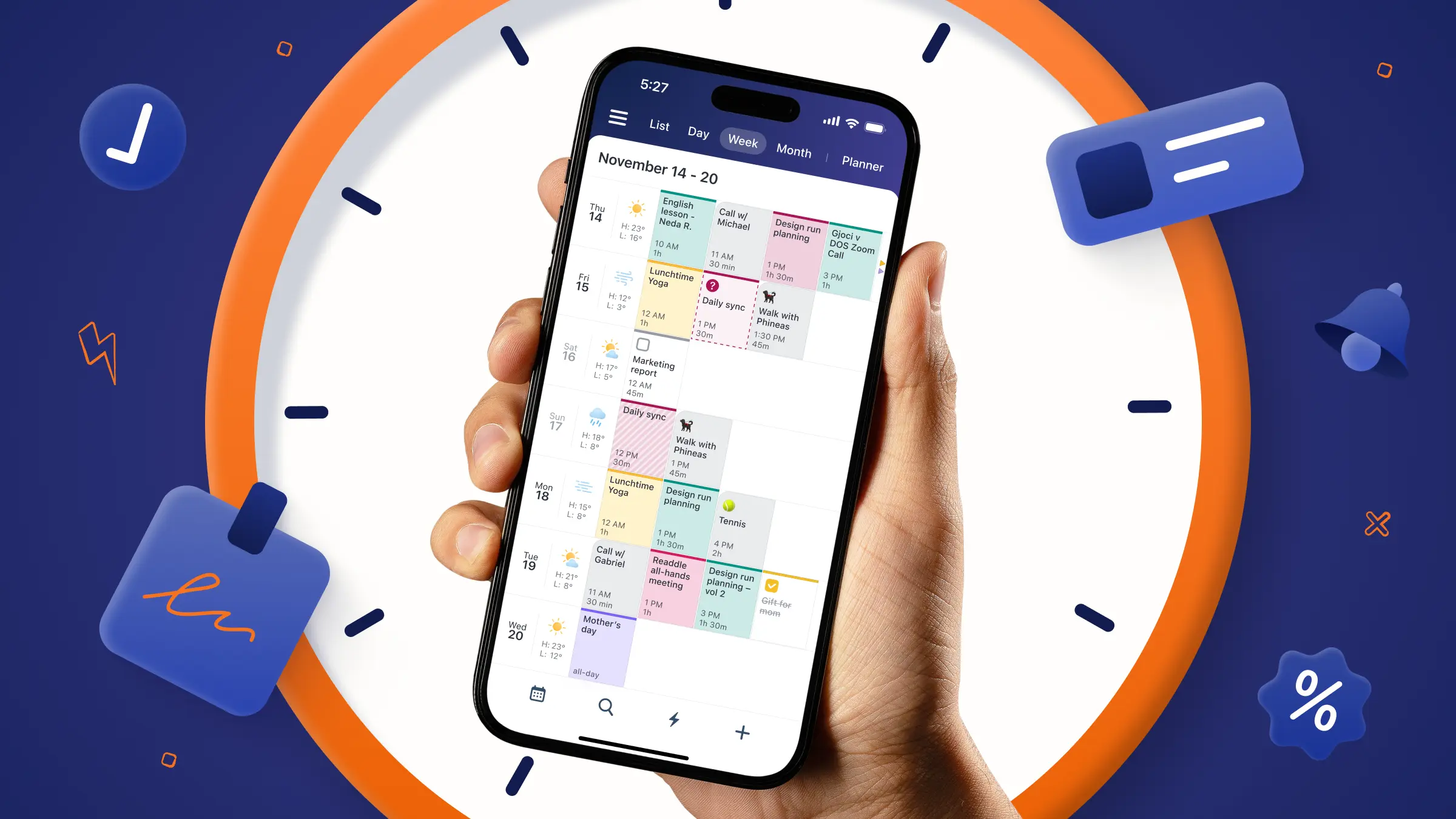
Expert tip: Use Calendars by Readdle to bring your work and personal calendars together (whether that’s Apple, Outlook, Gmail, or others) so you can see all your meetings in one place and calculate exactly how much you’re taking on each week.
One Meeting Challenge
Here’s the weird thing about meetings, most people are tired of them, but they still don’t cancel them. Calendars stay full and new meetings get added on top of everything else without much questioning. Even when people openly say there are too many meetings, they usually still show up to all of them.
A lot of it comes down to habit. Some of it is the fear of missing something important. And some of it is just that no one wants to be the person who questions whether a meeting is actually necessary and worth everyone’s time.
This week, start making changes to your schedule by doing the “One Meeting Challenge.” Pick one meeting and cancel it, shorten it, or replace it entirely.
Here’s how:
-
Cancel one recurring meeting that no longer serves a clear purpose.
-
Shorten a meeting that doesn’t need the full 30 or 60 minutes.
-
Replace a live meeting with an async update.
-
Swap a check-in for office hours or a walking 1:1.
If it feels slightly uncomfortable to do, that’s normal. Meetings become default so easily that changing them can feel like you’re breaking a rule, even when you’re not.
How to Reduce Meeting Fatigue
The goal isn’t to remove meetings completely, it’s to make them more intentional so they actually support your work instead of draining your energy.
Here’s a simple framework you can use:
-
Set a clear agenda in advance: Every meeting should have a purpose. If you can’t explain what needs to be decided or discussed, it probably doesn’t need to be a meeting yet.
-
Question the meeting before you accept it: Ask yourself, “Could this be solved without a call?”
-
Look for repeat meetings that have lost their value: If a recurring meeting feels like a status update with no real decisions, it may be a candidate to reduce or remove.
-
Create no-meeting work days: Protecting even one day a week without meetings can create space for deep work and help reset your attention.
-
Normalize opting out or reshaping meetings: It can be as simple as “I can review async” or “Can we handle this outside a live call?”
-
Replace meetings when there’s a better format: Async updates, shared docs, or office hours often do the same job with less fatigue.
Final Thoughts
Most people think that if a meeting gets removed, something will break (like missing an update, delaying a decision, or having a team fall out of sync). But that’s usually not what happens.
When teams cancel or reduce meetings, they often get time back right away. The day feels less fragmented, and it becomes easier to focus on real work instead of bouncing between calls. The meetings that remain also tend to improve because people show up more prepared and conversations are more intentional.
A lot of the fear around removing meetings comes from assuming meetings are the only way work moves forward. Most of the time, they’re not.
And once you see that nothing really breaks, it becomes easier to question which meetings are actually worth keeping.